6. Levels#
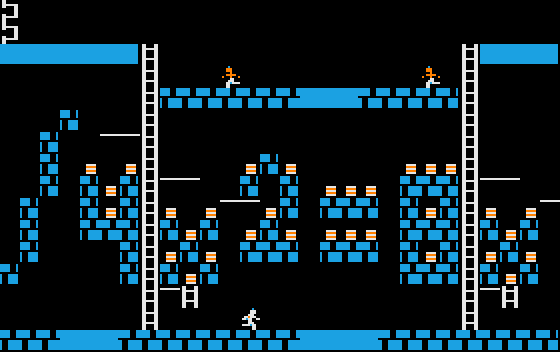
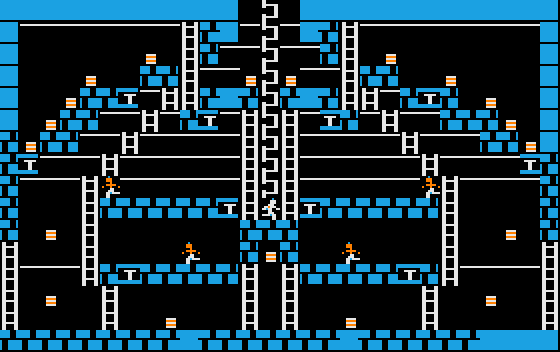
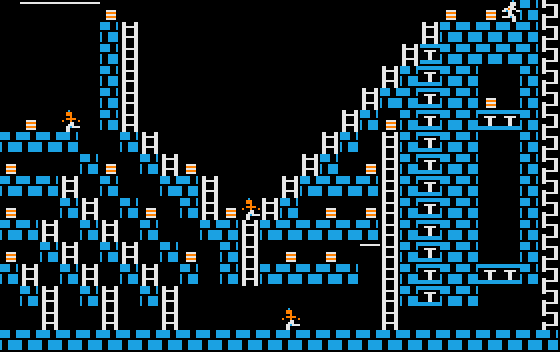
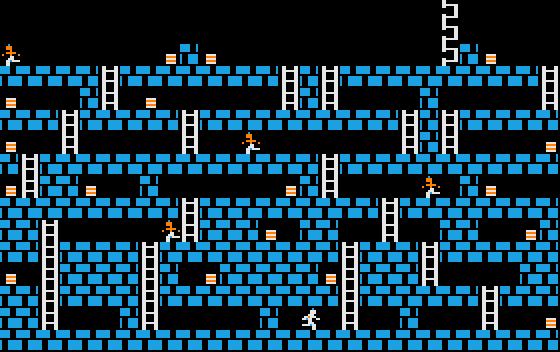
One of the appealing things about Lode Runner are its levels. 150 levels are stored in the game, and there is even a level editor included.
(
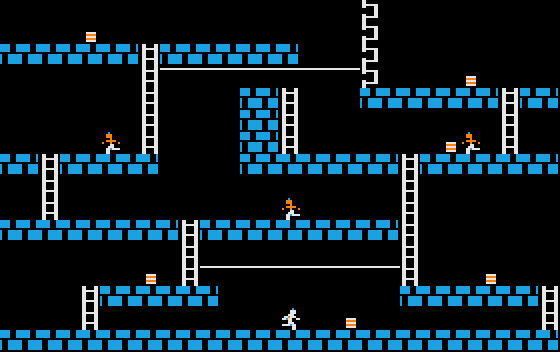
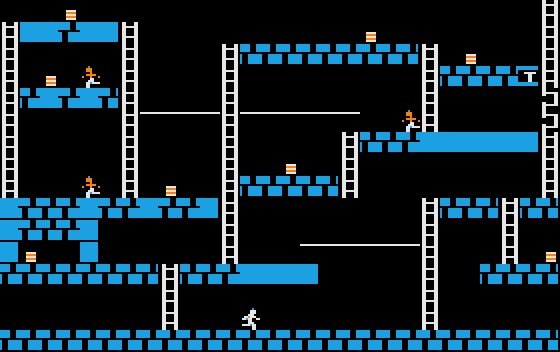
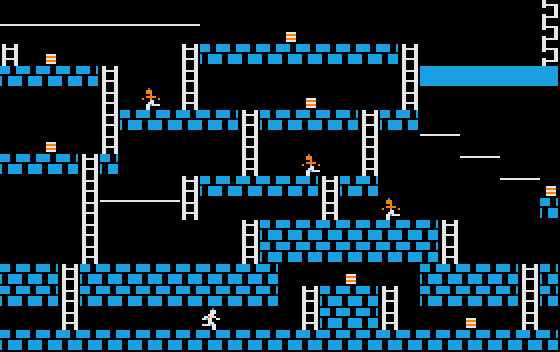
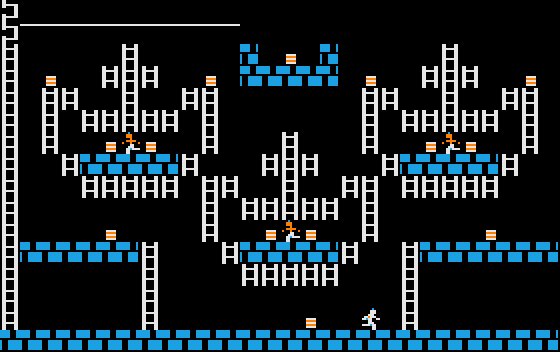
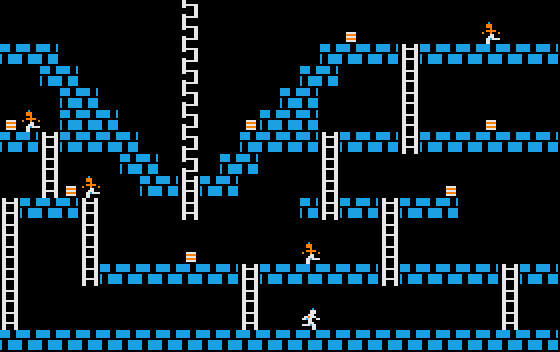
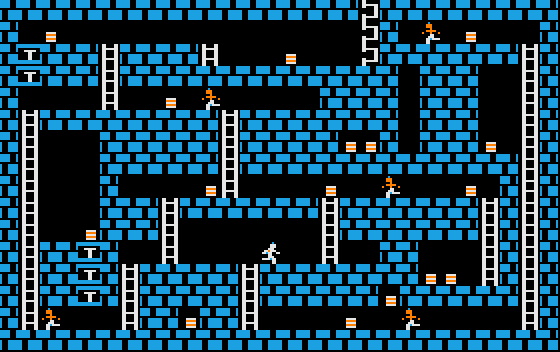
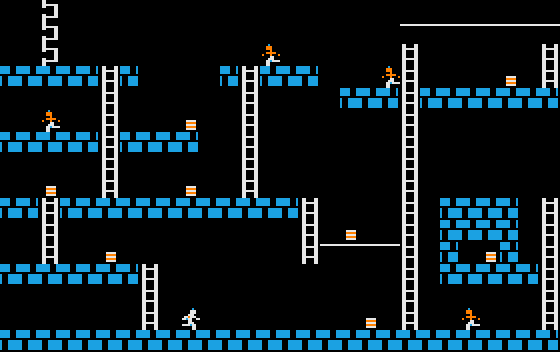
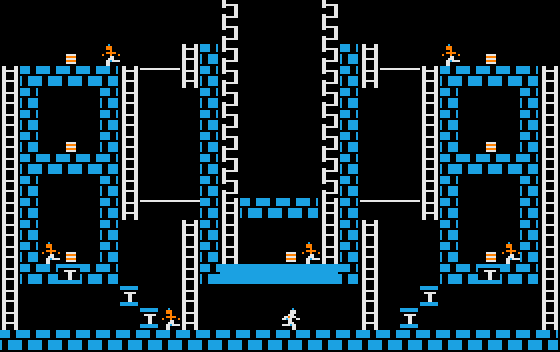
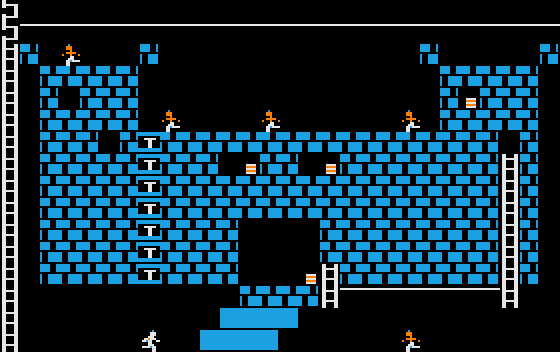
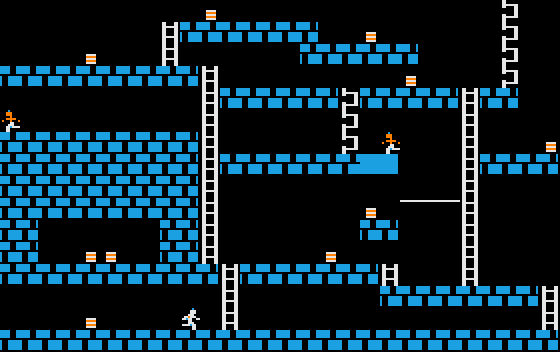
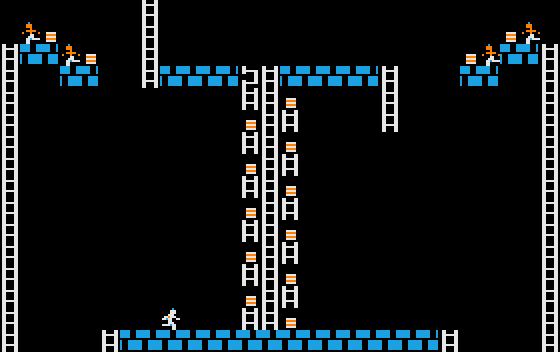
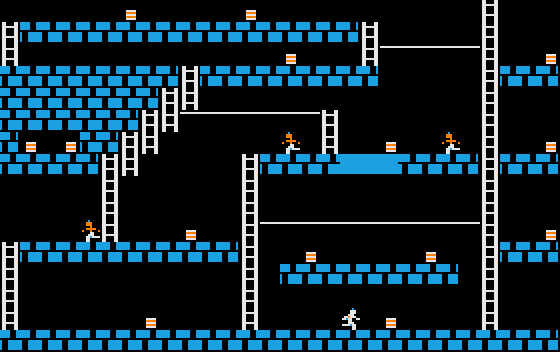
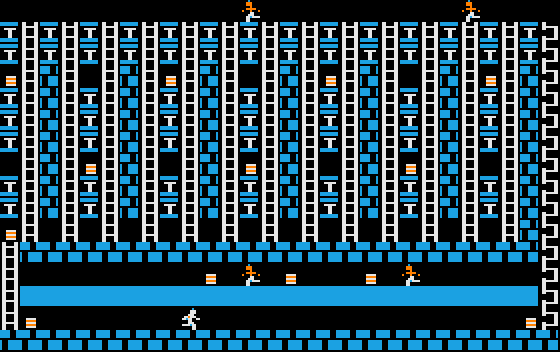
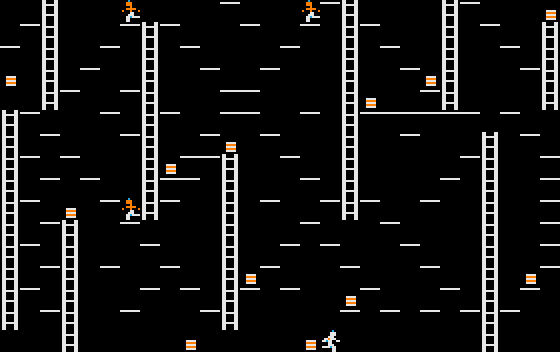
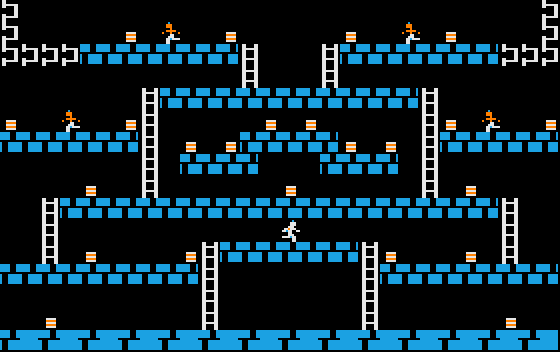
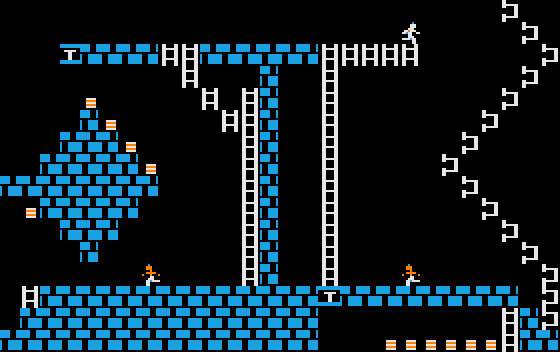
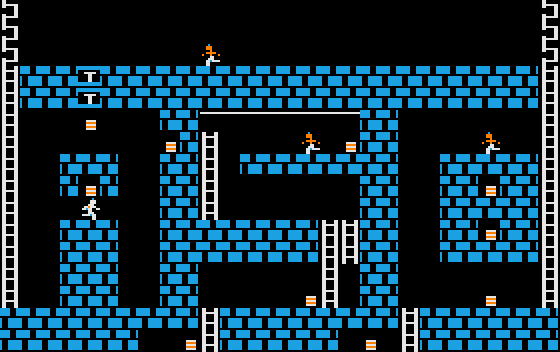
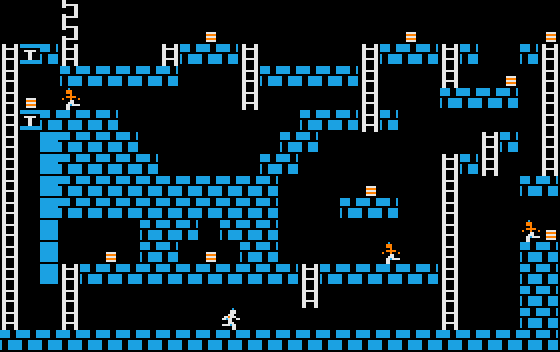
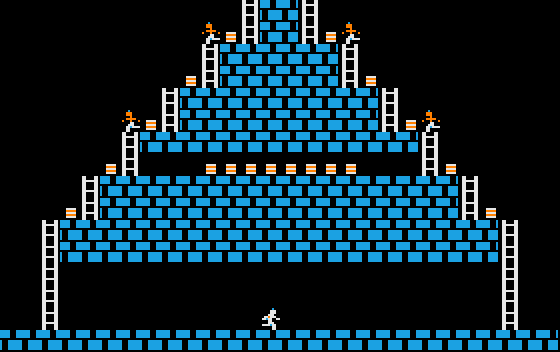
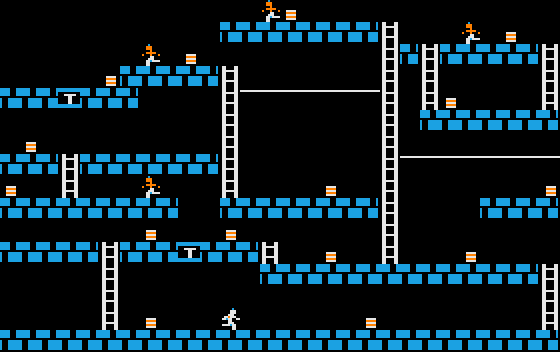
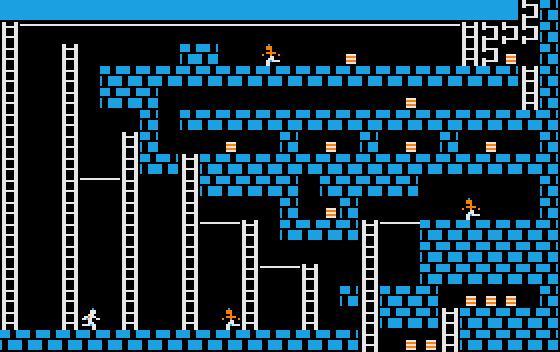
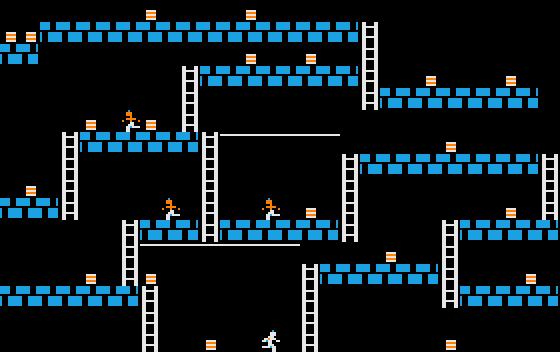
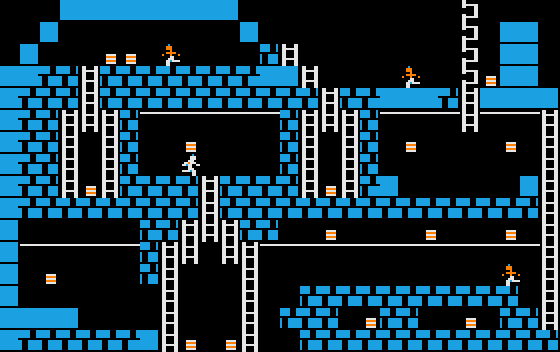
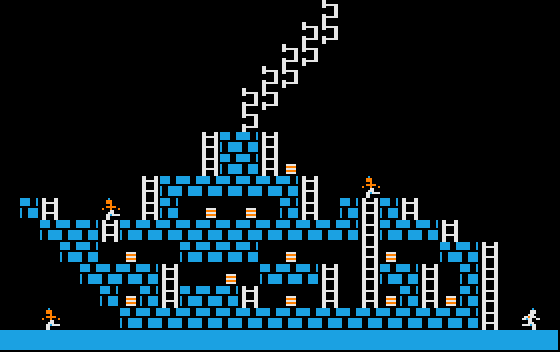
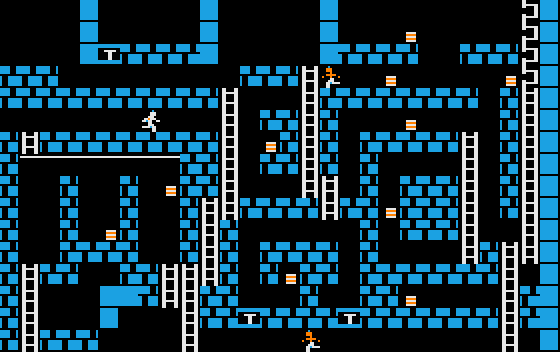
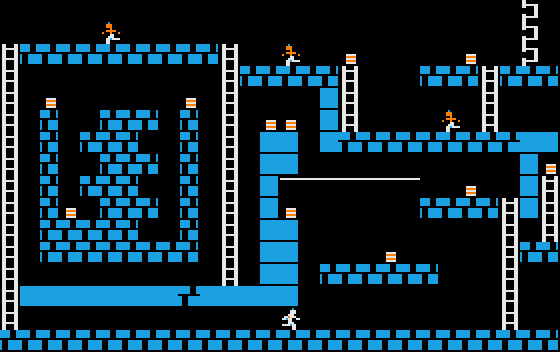
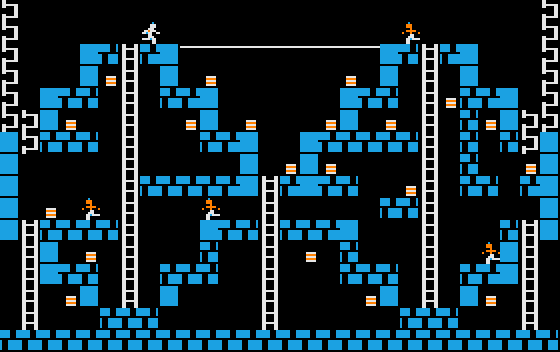
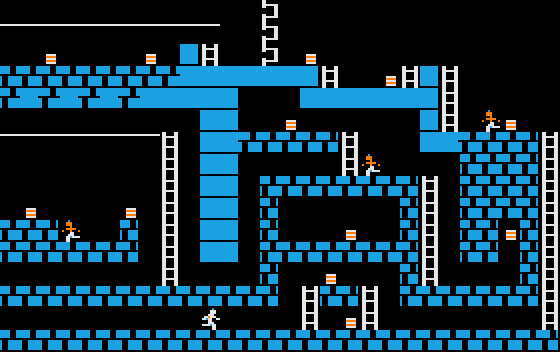
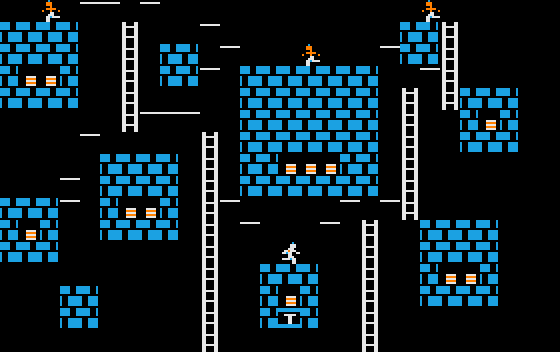
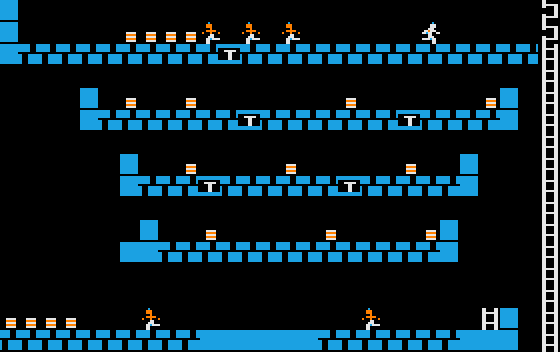
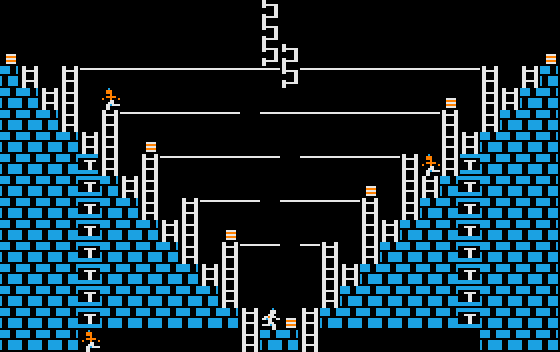
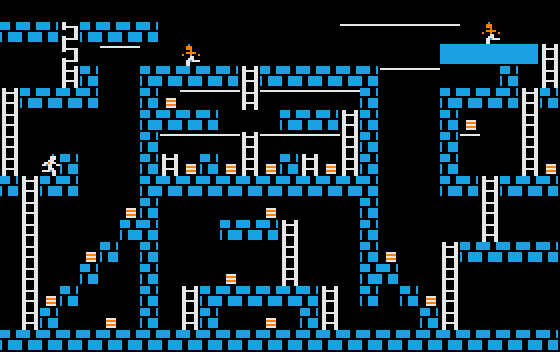
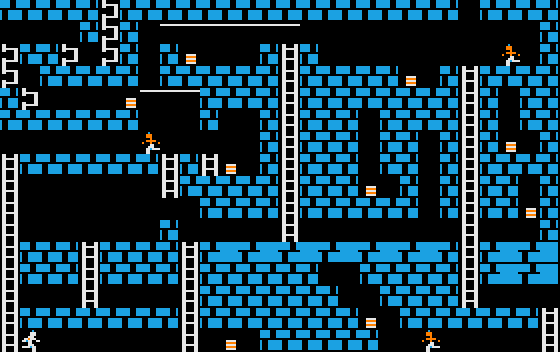
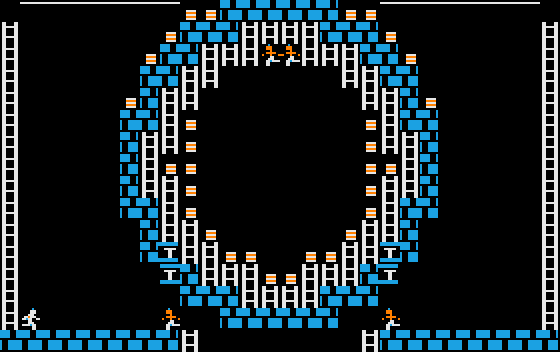
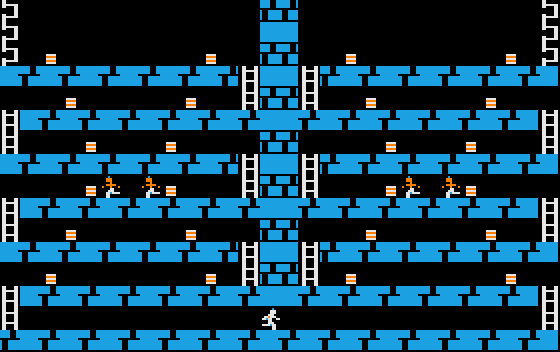
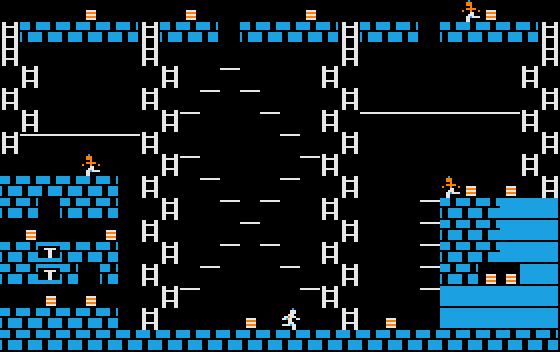
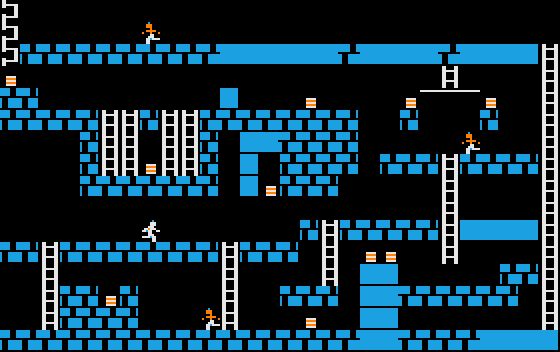
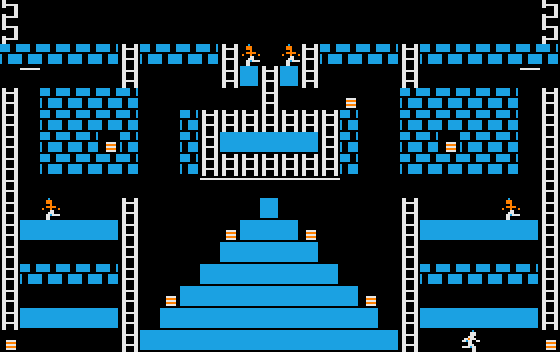
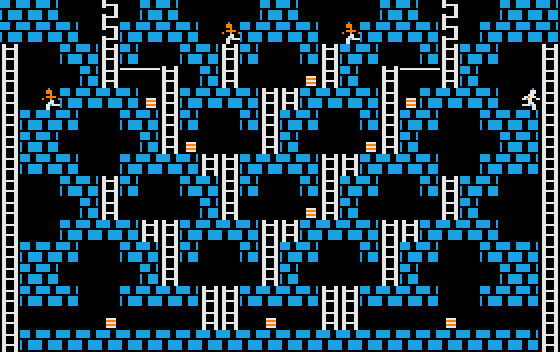
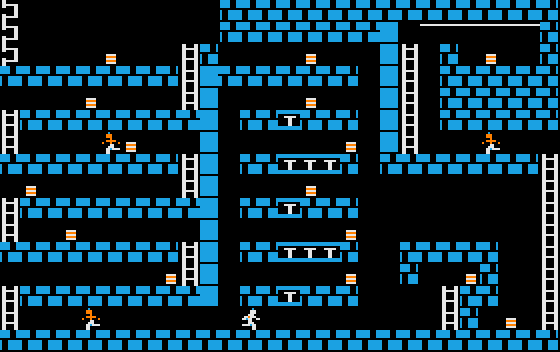
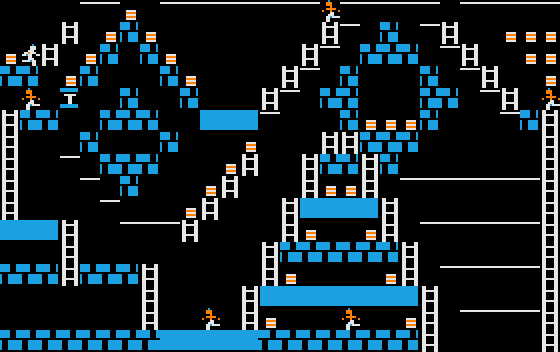
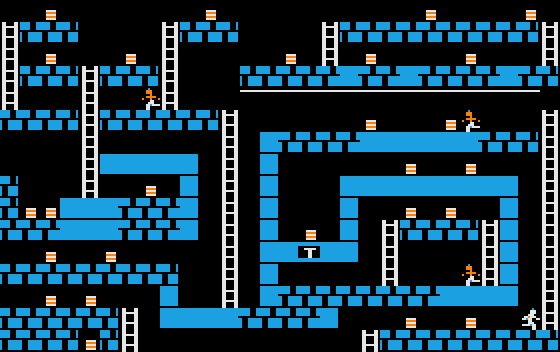
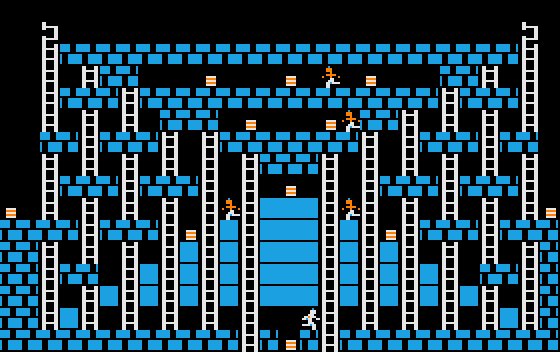
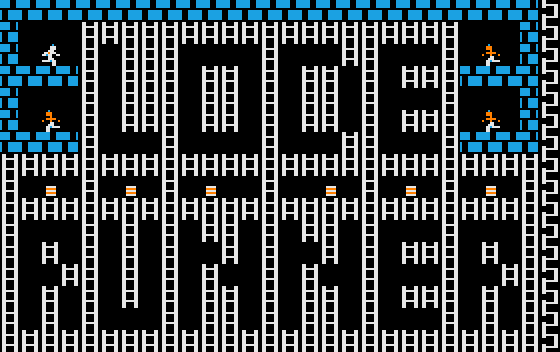
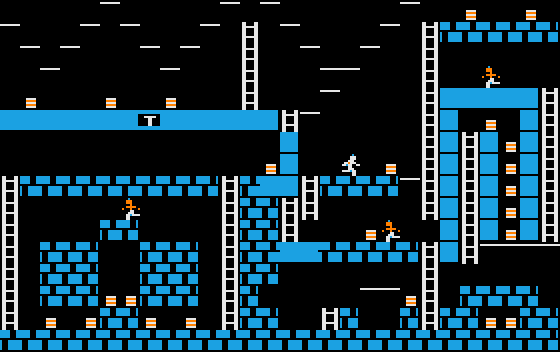
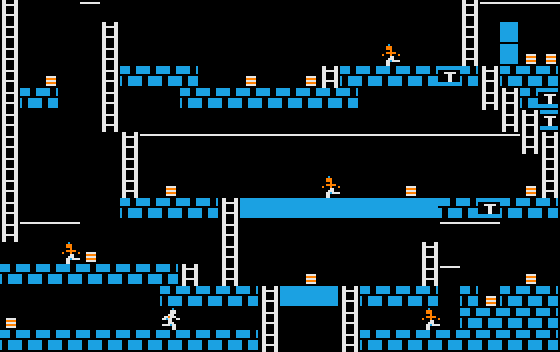
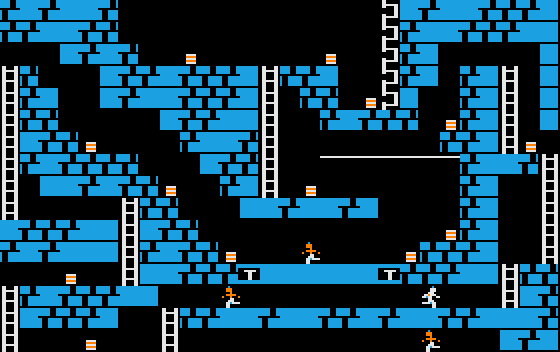
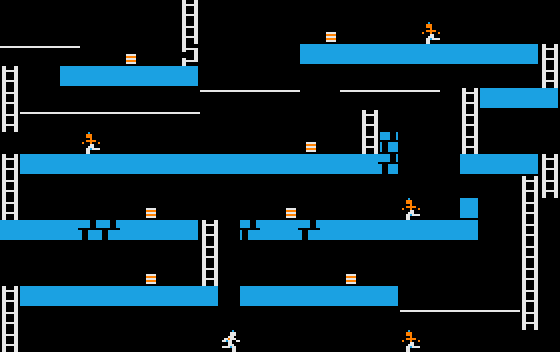
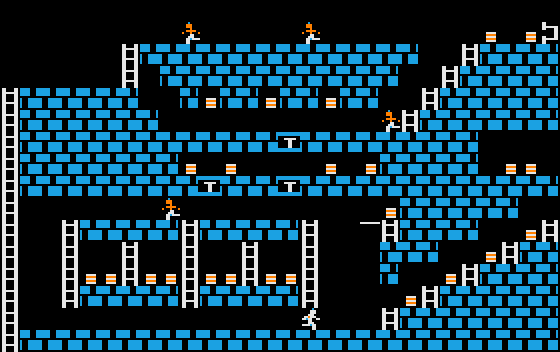
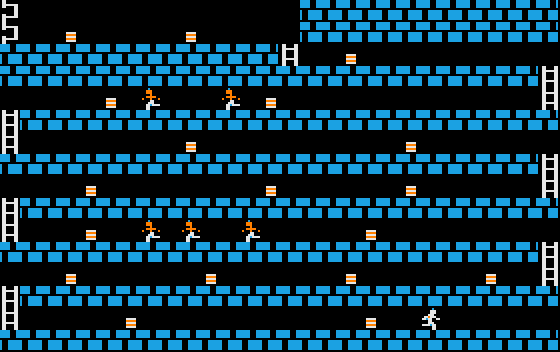
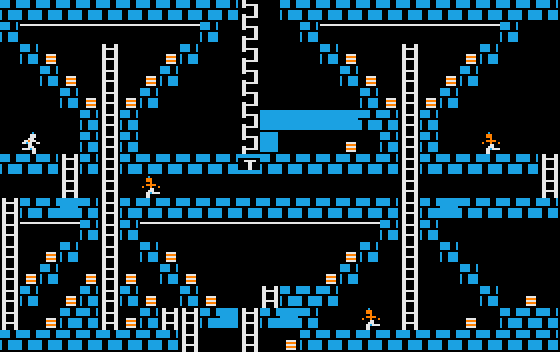
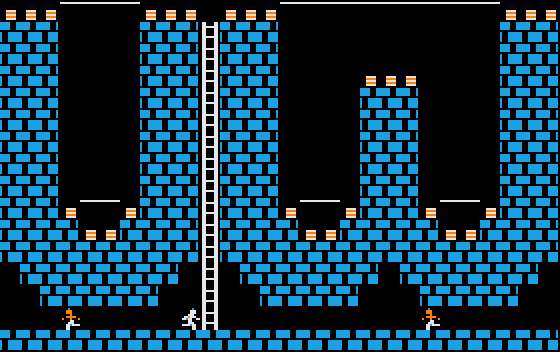
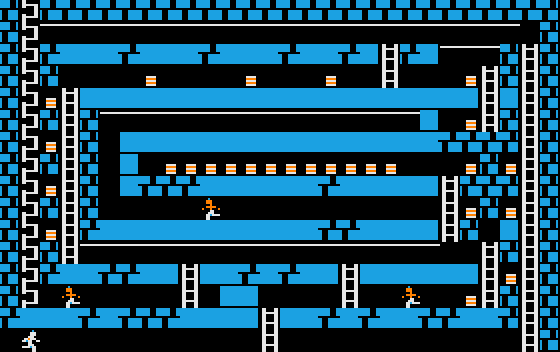
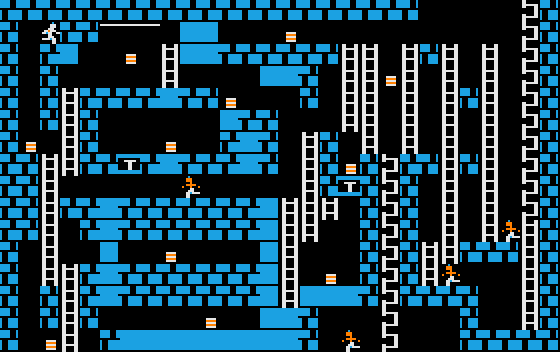
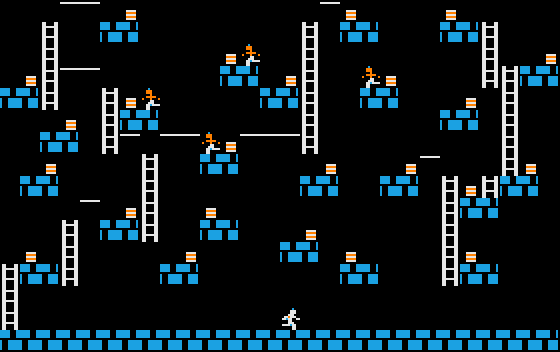
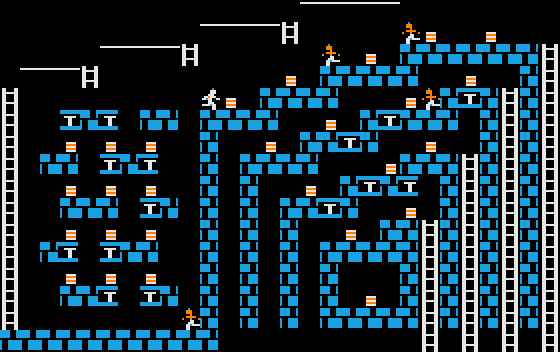
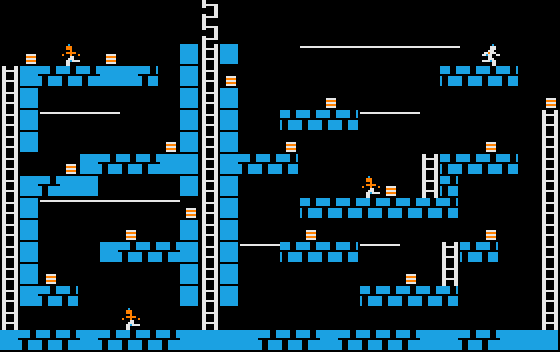
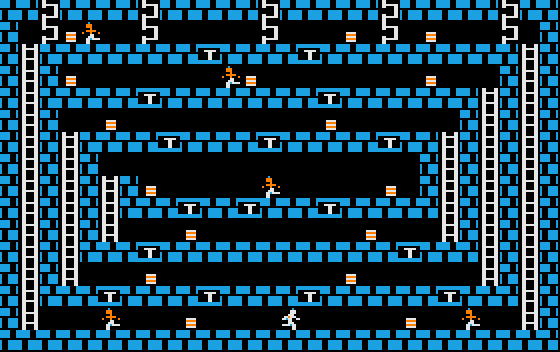
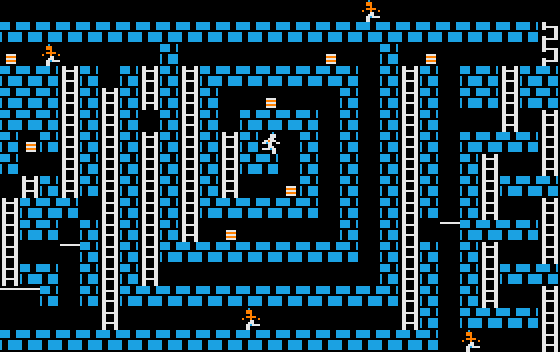
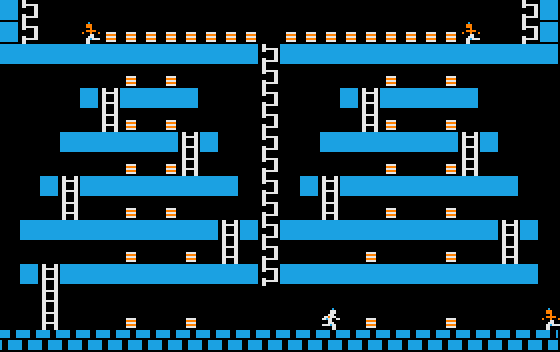
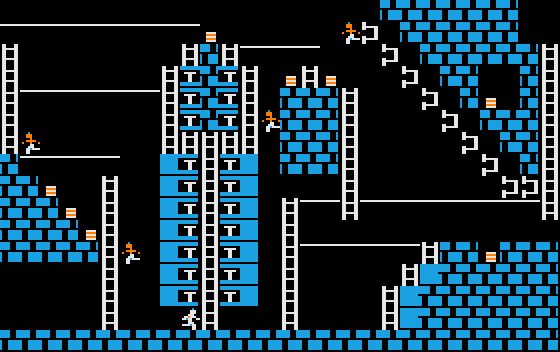
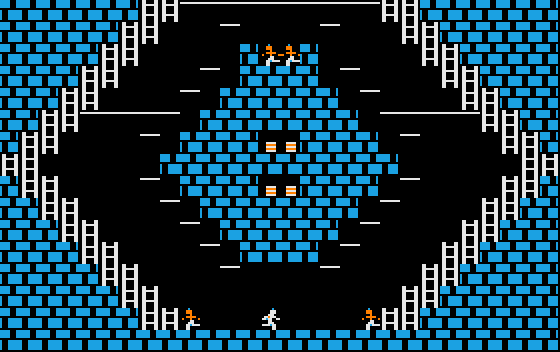
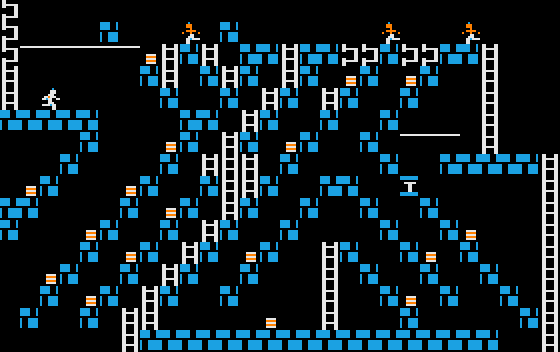
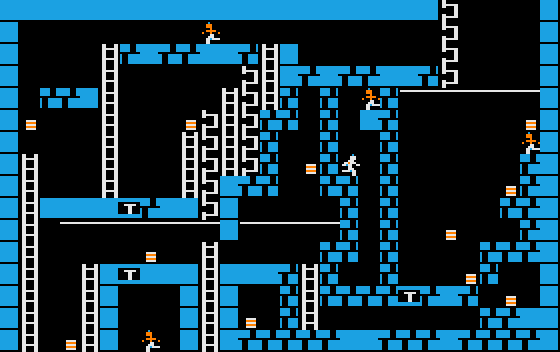
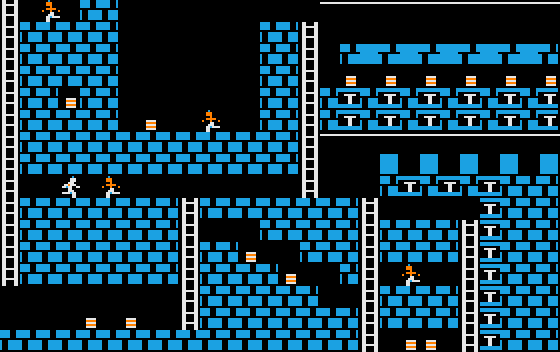
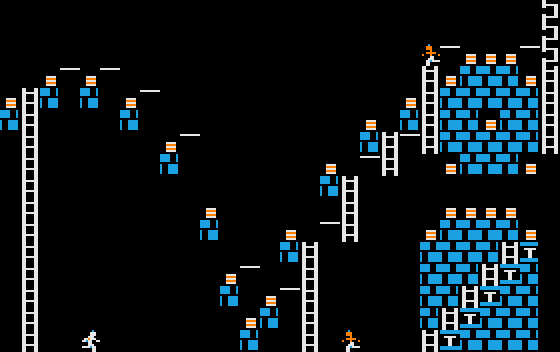
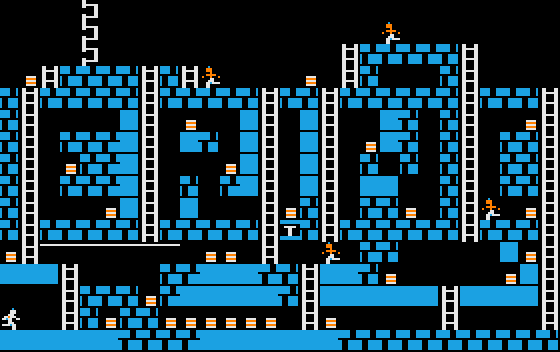
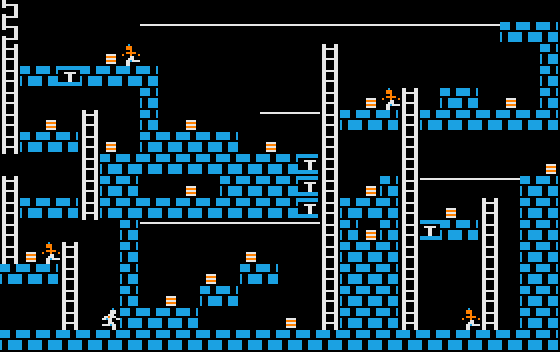
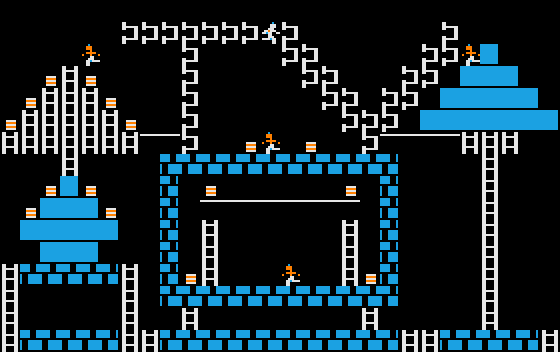
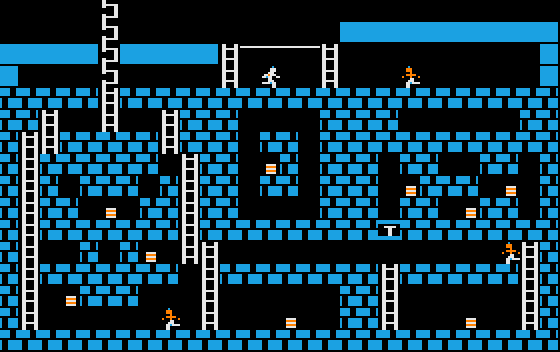
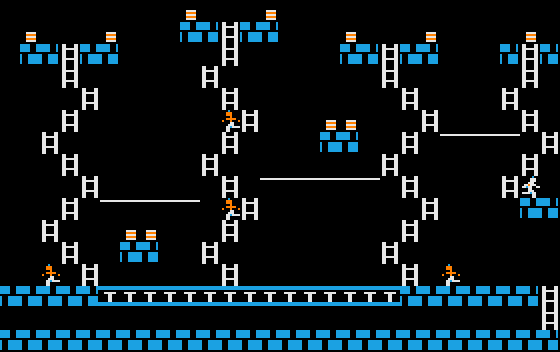
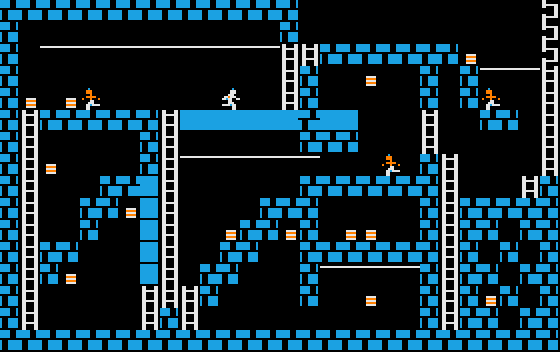
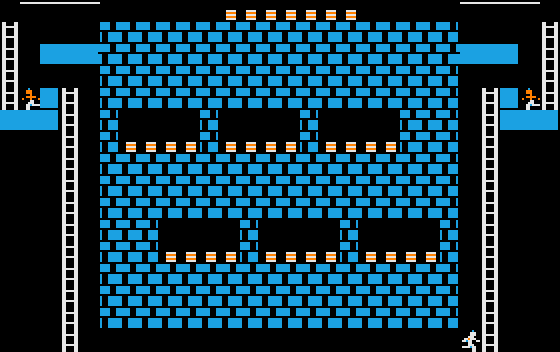
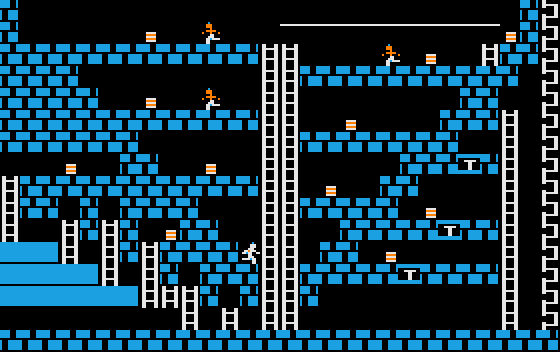
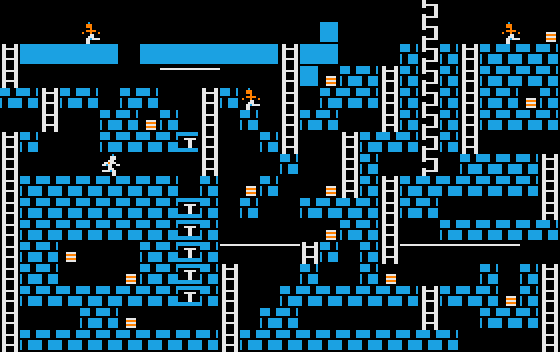
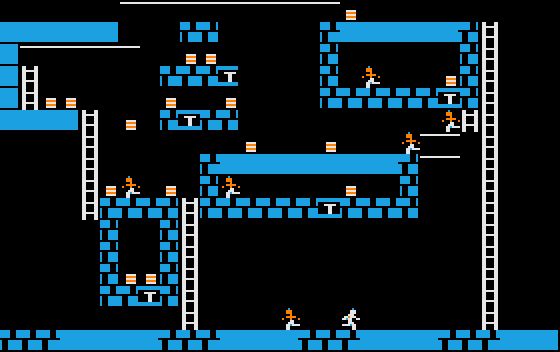
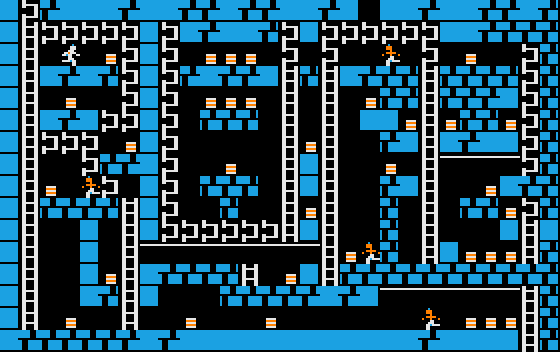
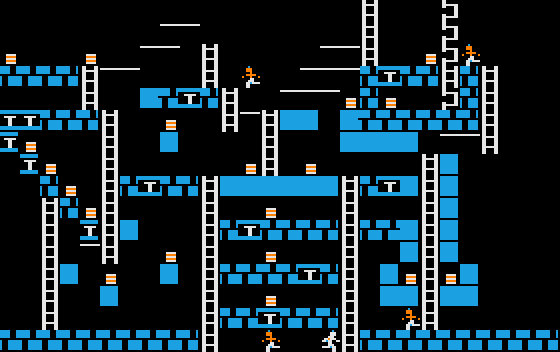
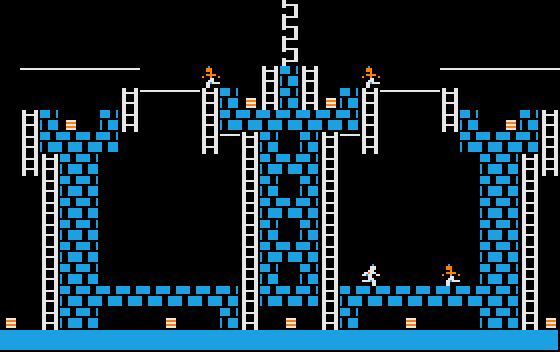
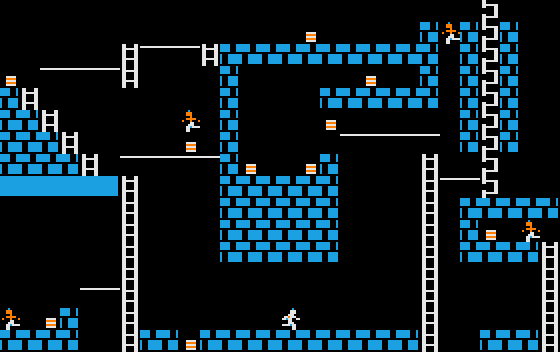
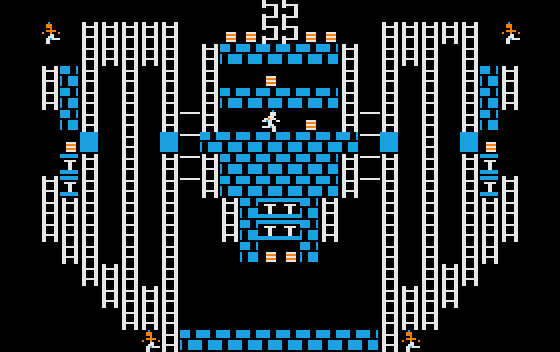
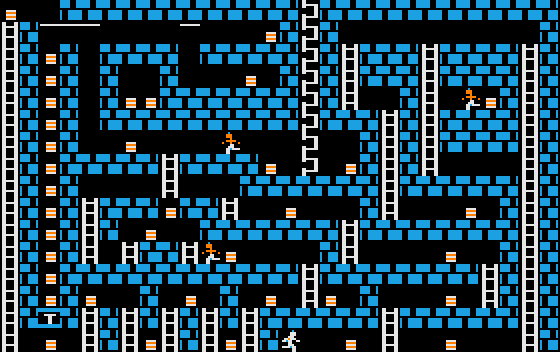
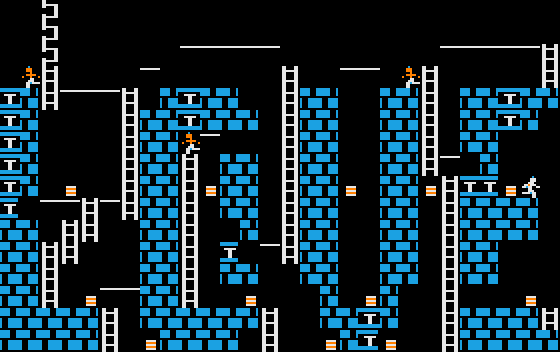
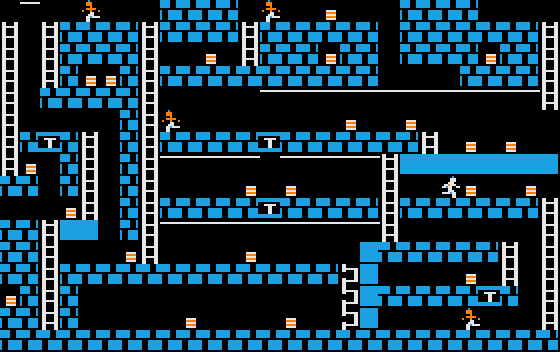
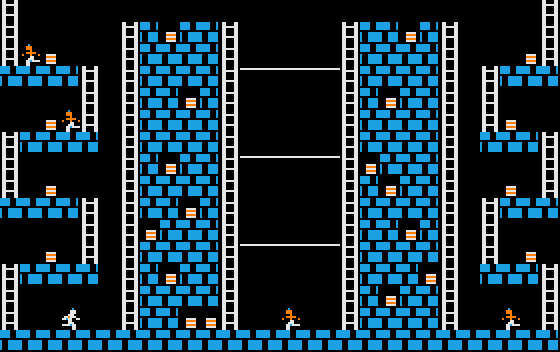
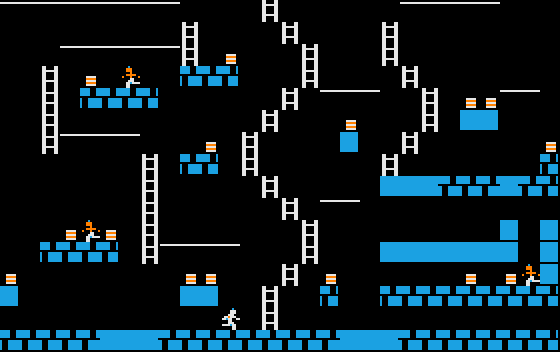
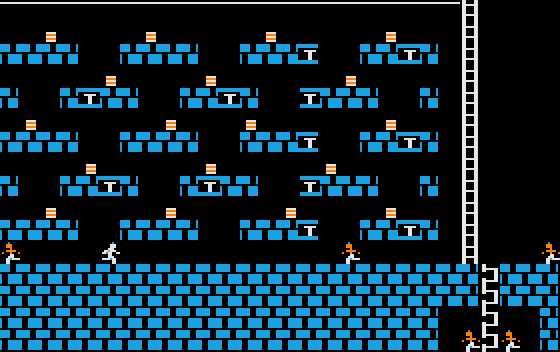
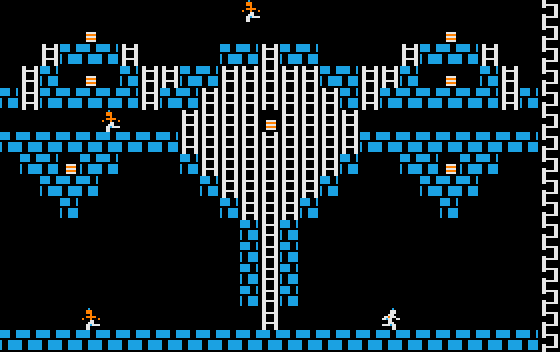
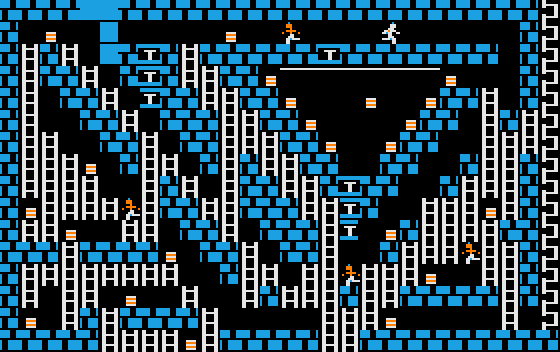
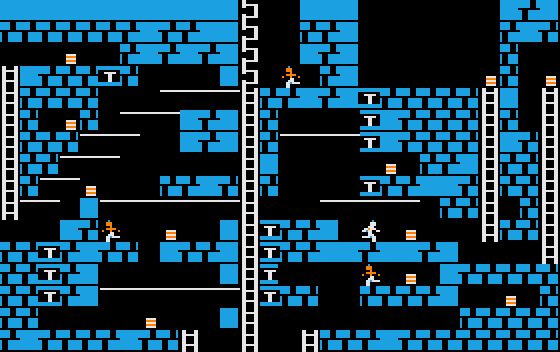
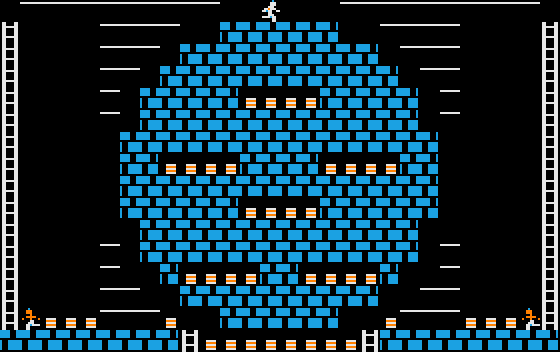
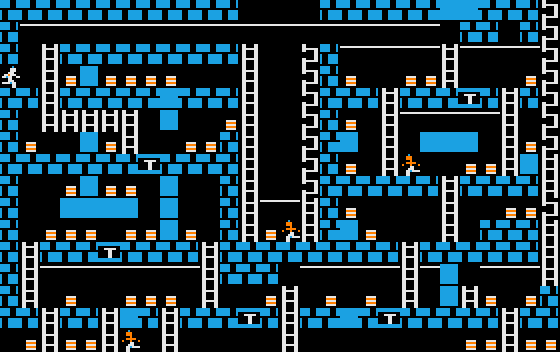
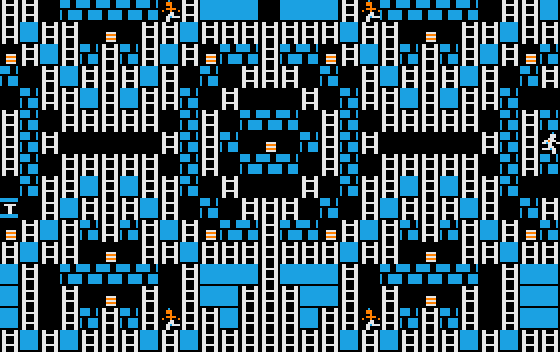
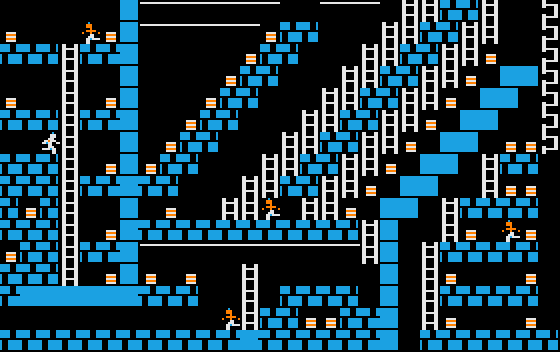
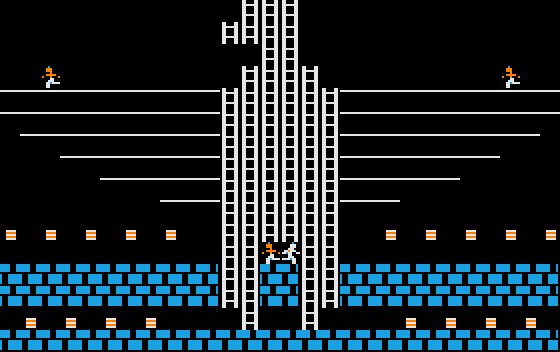
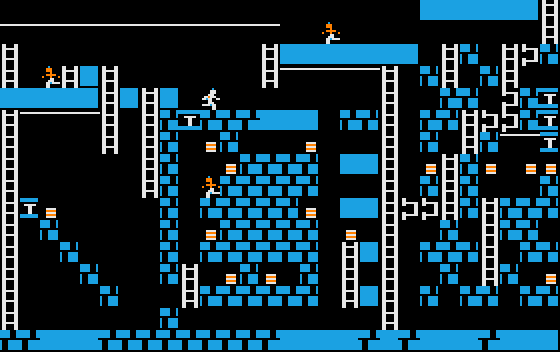
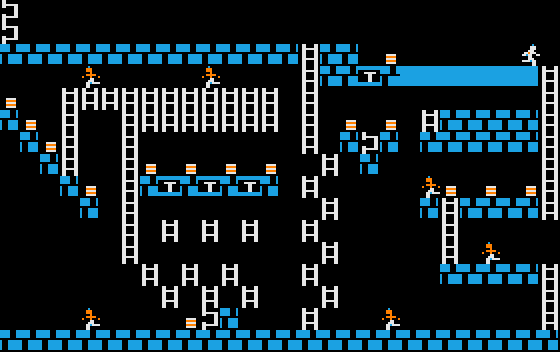
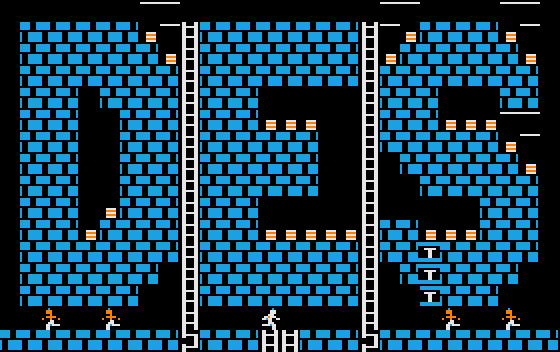
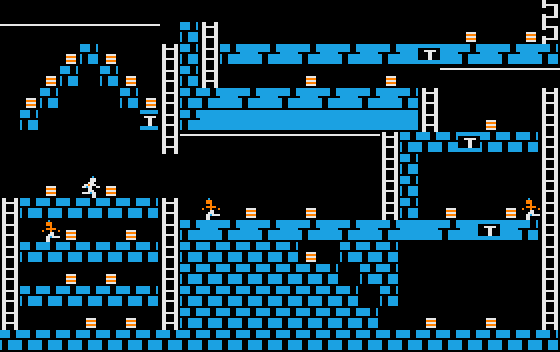
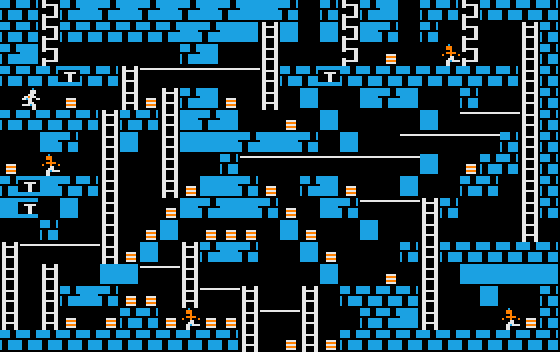
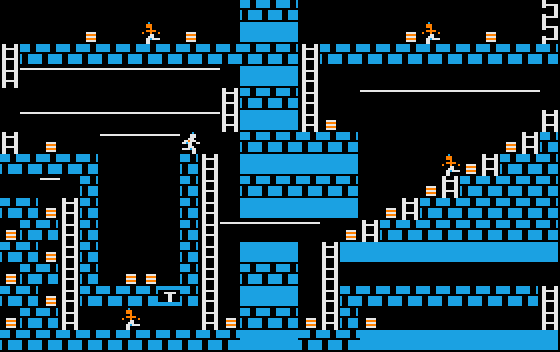
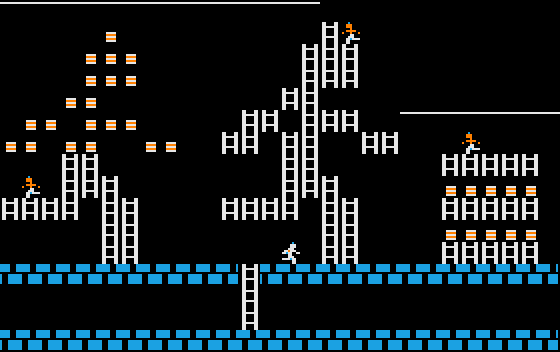
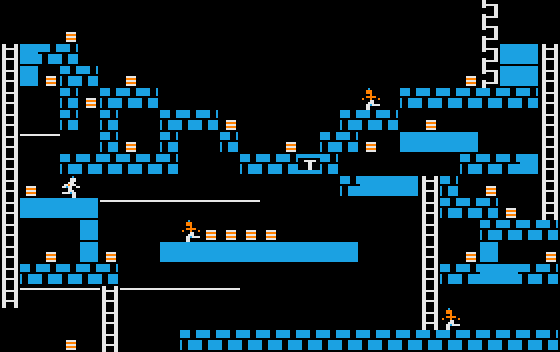
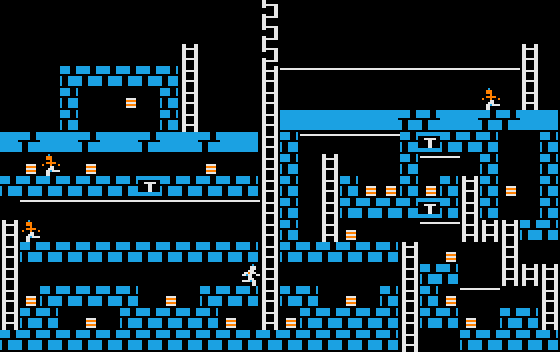
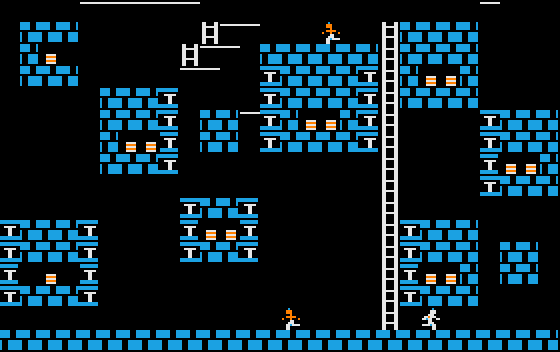
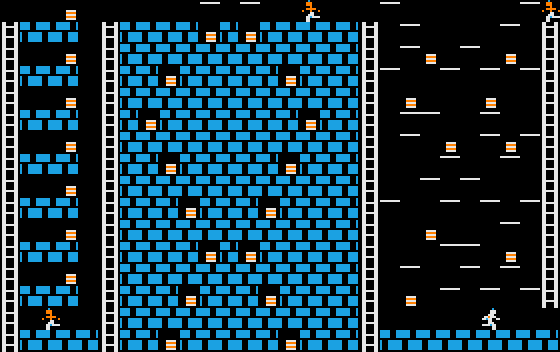
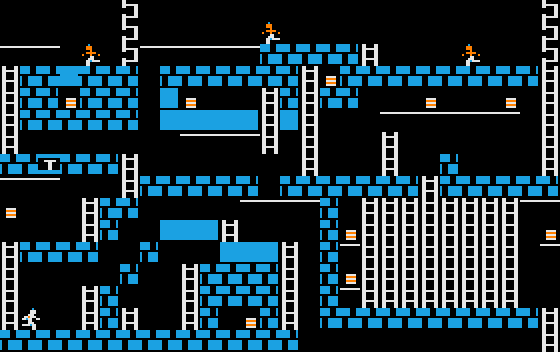
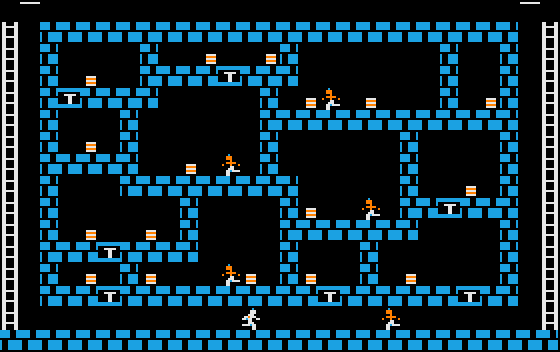
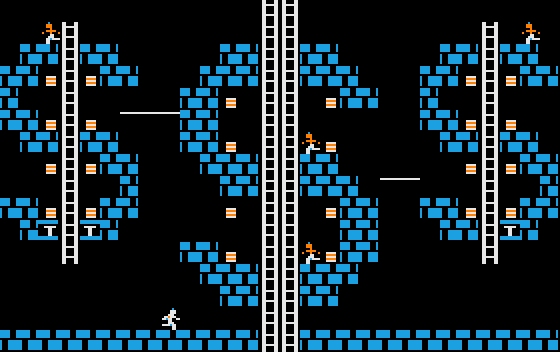
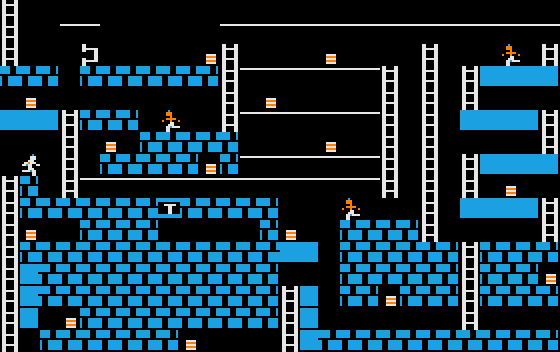
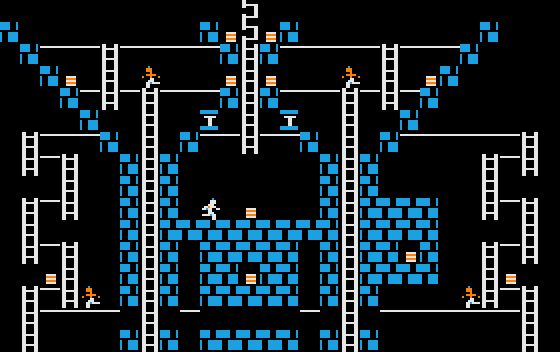
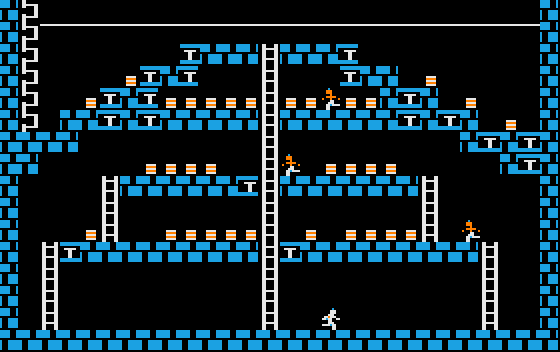
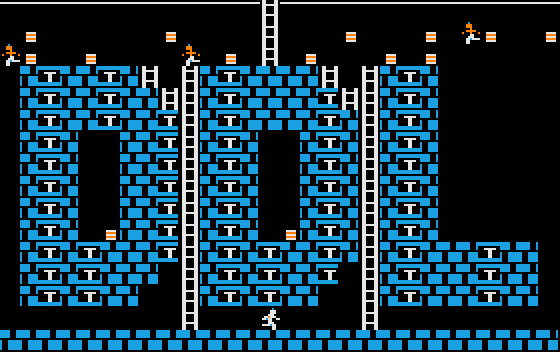
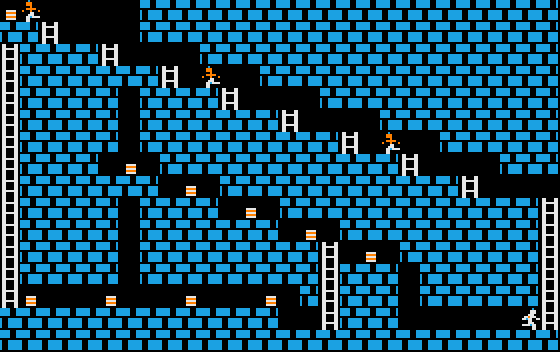
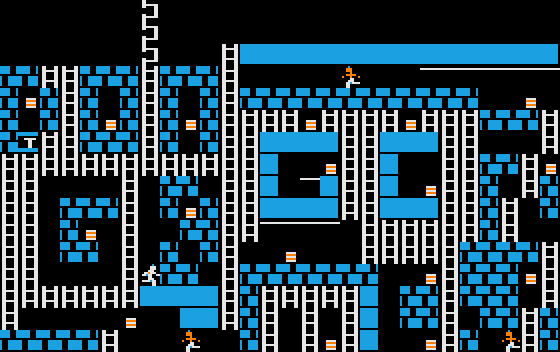
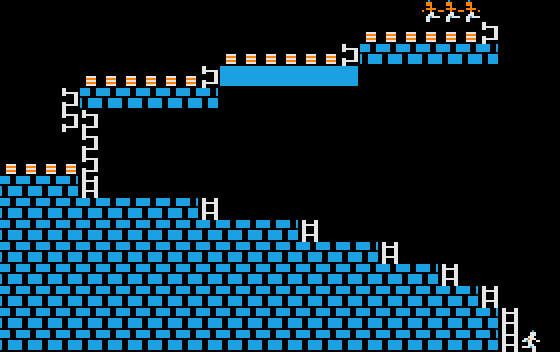
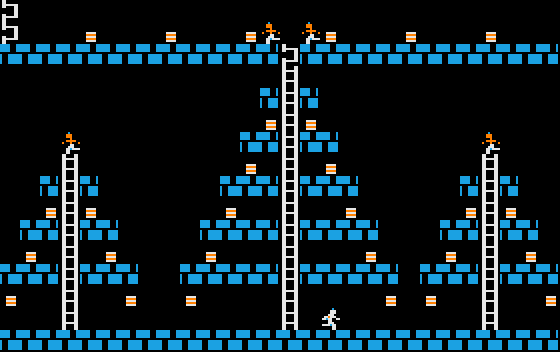
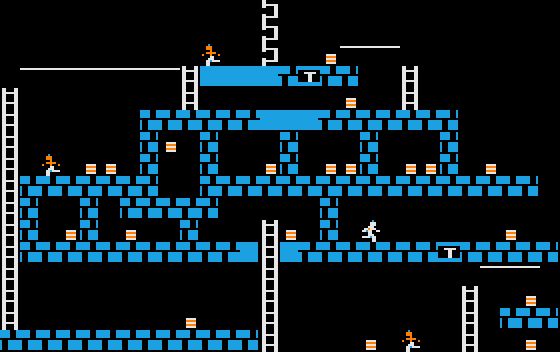
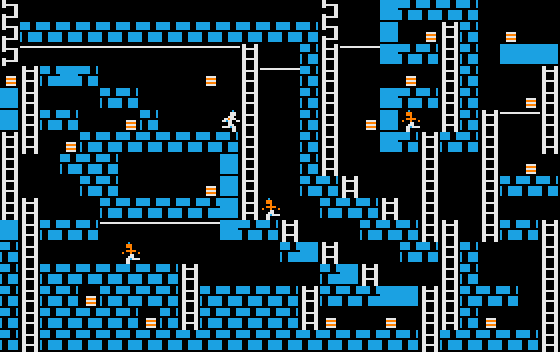
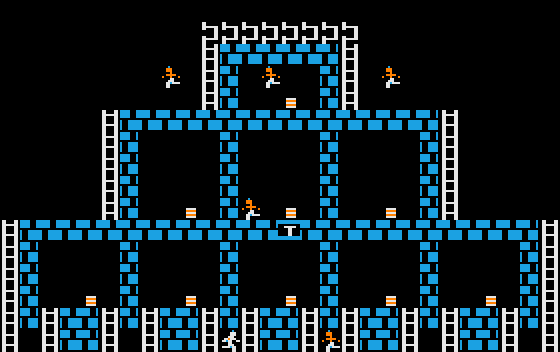
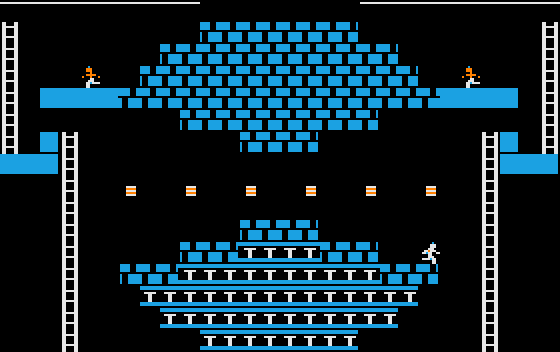
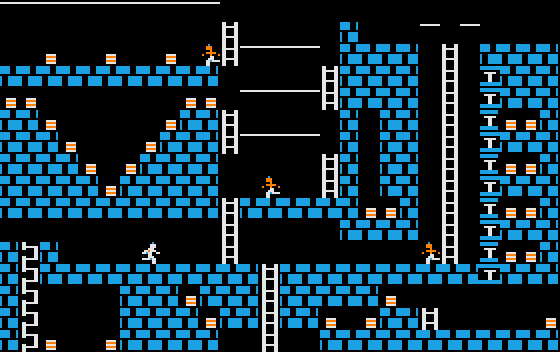
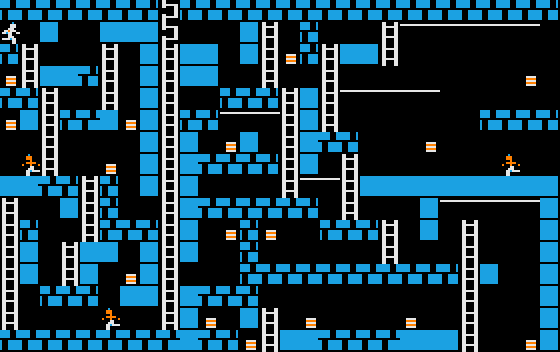
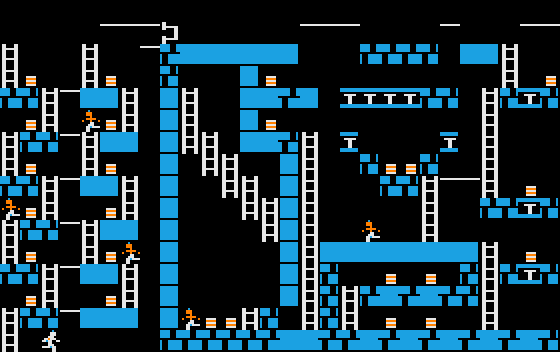
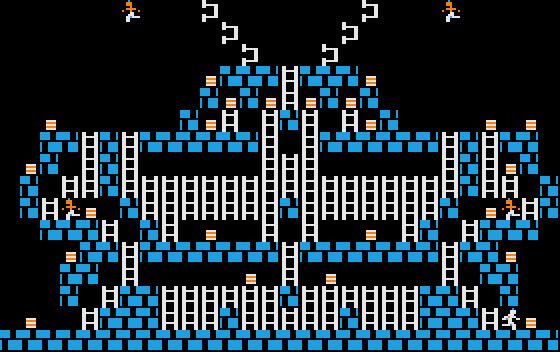
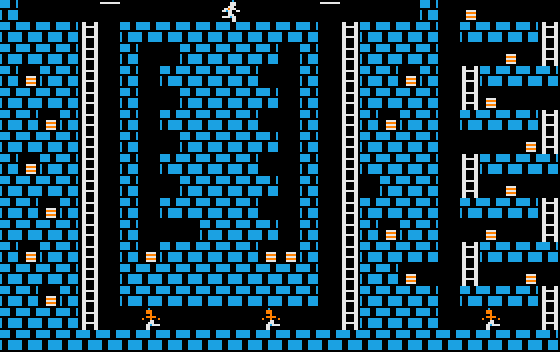
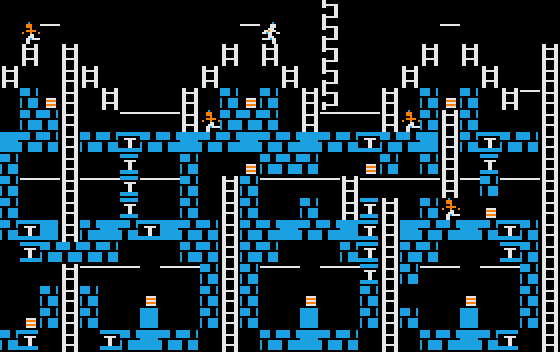
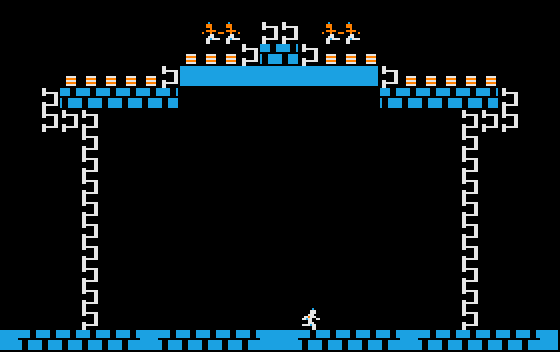
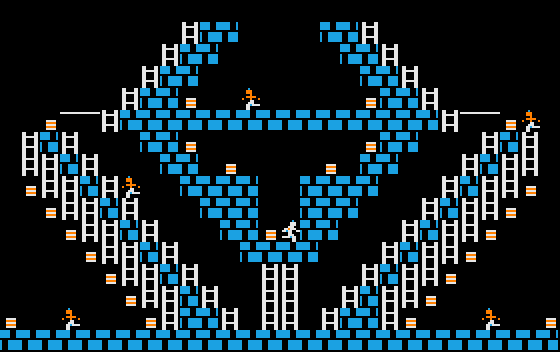
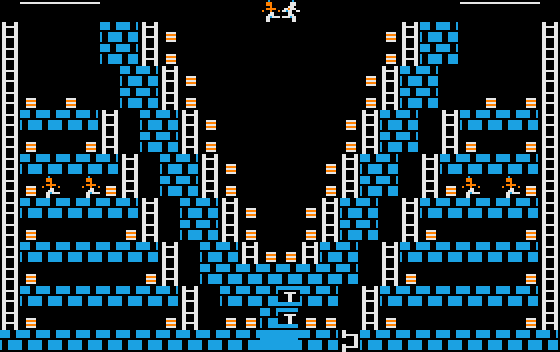
a2-lode-runner): All 150 levels, as the level editor shows them. Each stored cell value 0 to 9 is also the number of the sprite drawn for it, so the images show what play hides: trapdoors (sprite 5), hidden exit ladders (sprite 6), and the start positions of the guards and the player. Click a level to see it full size. The images are generated from the disk data withmake level-images; the level format is described in06-levels.md. XekriRedmane coloured each sprite on its own, so where two blue cells meet, a single black pixel column is left between them; the images fill it with blue, as the TV does. Levels 8, 80 and 113 have six guards on the disk, one more than the game places; see the note after the guard check in the next section.
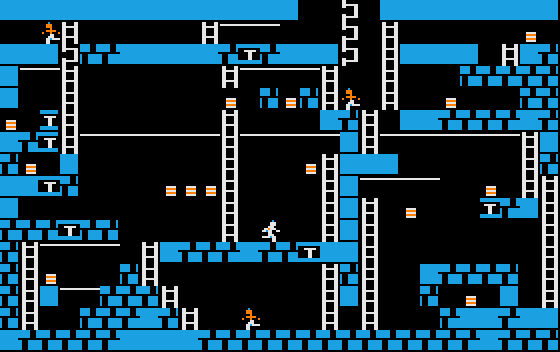
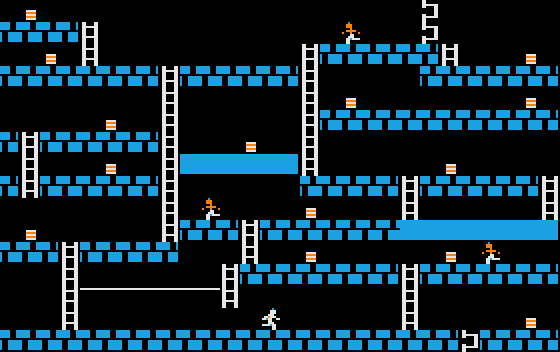
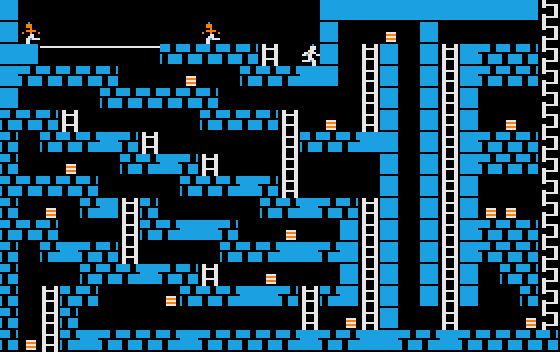
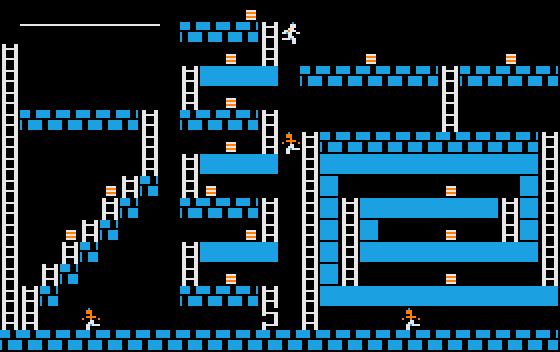
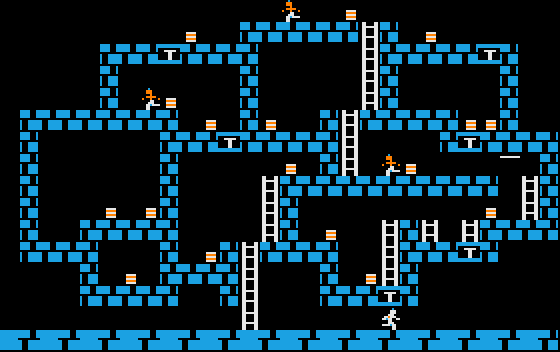
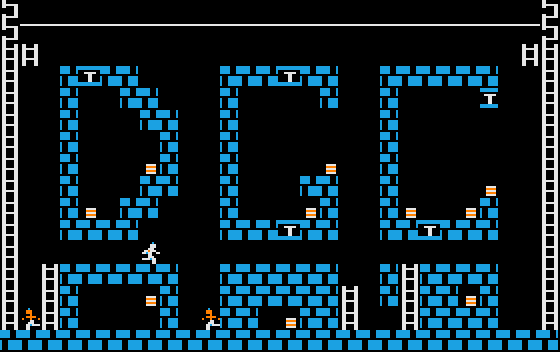
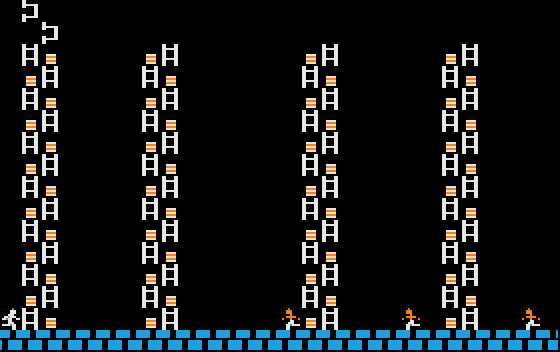
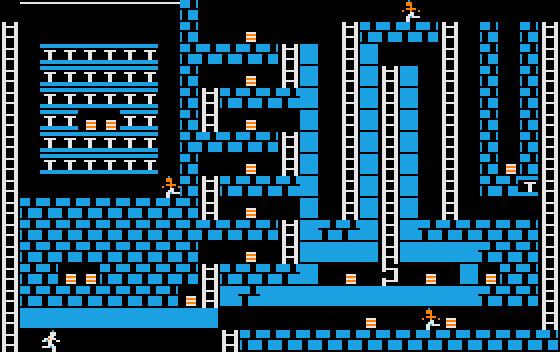
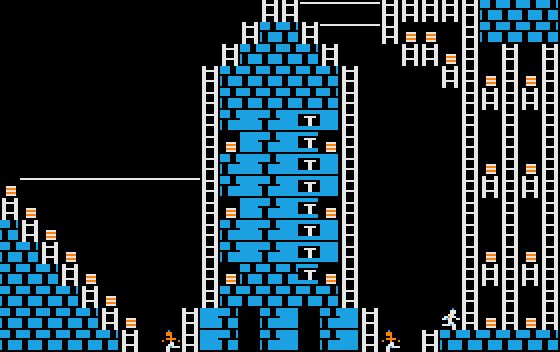
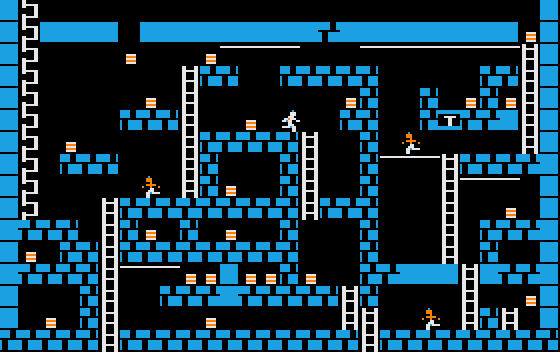
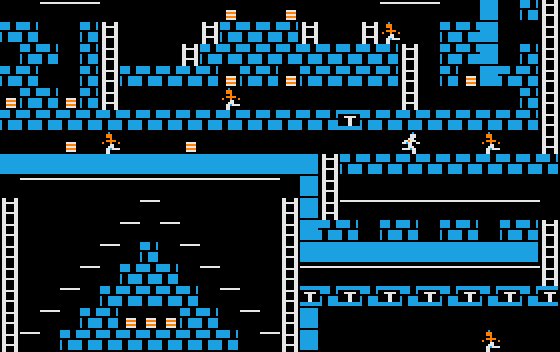
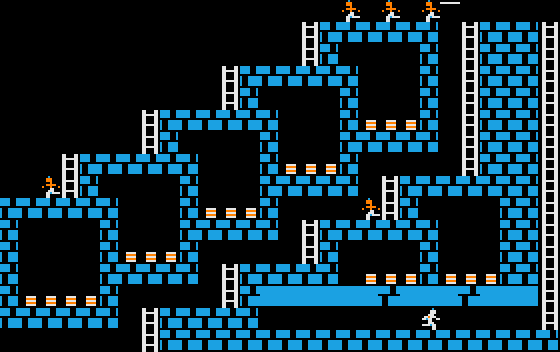
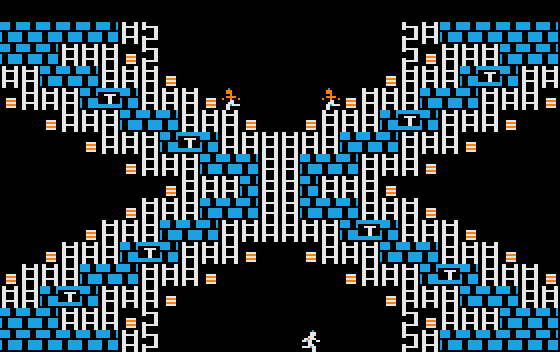
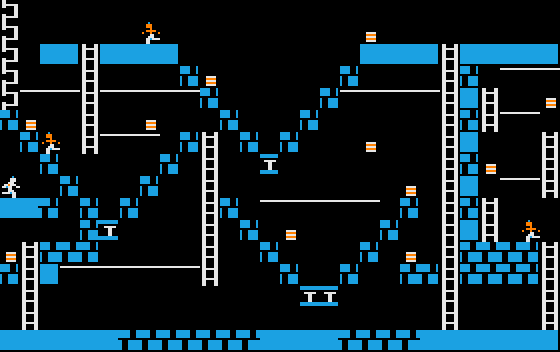
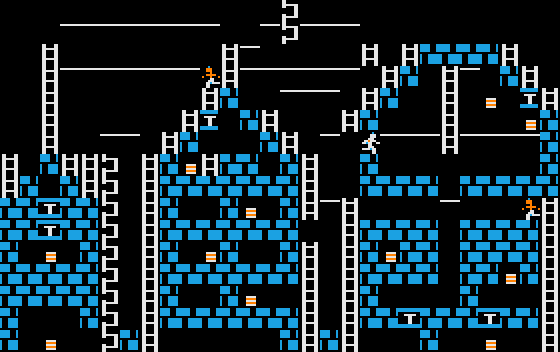
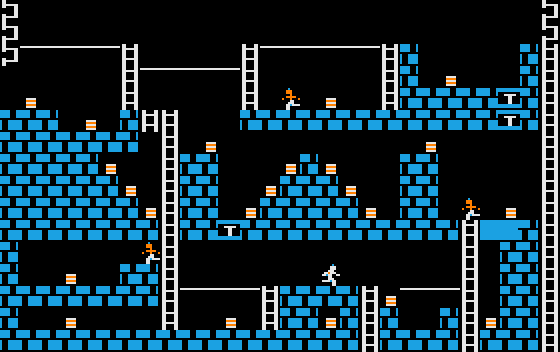
6.1 Drawing a level#
Let's see how Lode Runner draws a level. We start with the routine DRAW_LEVEL_PAGE2,
which draws a level on HGR2. Note that HGR1 would be displayed, so the player doesn't
see the draw happening.
We start by looping backwards over rows 15 through 0:
    ORG     $63B3
DRAW_LEVEL_PAGE2:
    SUBROUTINE
    ; Returns carry set if there was no player sprite in the level,
    ; or carry clear if there was.

    LDY     #MAX_GAME_ROW
    STY     GAME_ROWNUM

.row_loop:
We'll assume the level data is stored in
a table which contains 16 pointers, one for each row. As usual in Lode Runner,
the pages and offsets for those pointers are stored in separate tables. these
are CURR_LEVEL_ROW_SPRITES_PTR_PAGES and CURR_LEVEL_ROW_SPRITES_PTR_OFFSETS.
    ORG     $1C05
CURR_LEVEL_ROW_SPRITES_PTR_OFFSETS:
    HEX     00 1C 38 54 70 8C A8 C4 E0 FC 18 34 50 6C 88 A4
CURR_LEVEL_ROW_SPRITES_PTR_PAGES:
    HEX     08 08 08 08 08 08 08 08 08 08 09 09 09 09 09 09
CURR_LEVEL_ROW_SPRITES_PTR_PAGES2:
    HEX     0A 0A 0A 0A 0A 0A 0A 0A 0A 0A 0B 0B 0B 0B 0B 0B
At the beginning of this loop, we create two pointers which we'll simply
call PTR1 and PTR2.
We set PTR1 to the pointer corresponding to the current row, and PTR2 to the other
page, though I don't know what it's for yet, I think a "background" page that contains only non-moving
elements.
These are very useful fragments, and appear all over the place in the code.
This fragment sets PTR1 to the current active level's row sprite data.
    LDA     CURR_LEVEL_ROW_SPRITES_PTR_OFFSETS,Y
    STA     PTR1
    LDA     CURR_LEVEL_ROW_SPRITES_PTR_PAGES,Y
    STA     PTR1+1
This fragment sets PTR2 to the current background level's row sprite data.
    LDA     CURR_LEVEL_ROW_SPRITES_PTR_OFFSETS,Y
    STA     PTR2
    LDA     CURR_LEVEL_ROW_SPRITES_PTR_PAGES2,Y
    STA     PTR2+1
And this fragment sets PTR1 to the active row and PTR2 to the background row.
    LDA     CURR_LEVEL_ROW_SPRITES_PTR_OFFSETS,Y
    STA     PTR1
    STA     PTR2
    LDA     CURR_LEVEL_ROW_SPRITES_PTR_PAGES,Y
    STA     PTR1+1
    LDA     CURR_LEVEL_ROW_SPRITES_PTR_PAGES2,Y
    STA     PTR2+1
Occasionally the sets are reversed, although the effect is identical, so:
    LDA     CURR_LEVEL_ROW_SPRITES_PTR_OFFSETS+1,Y
    STA     PTR1
    STA     PTR2
    LDA     CURR_LEVEL_ROW_SPRITES_PTR_PAGES2+1,Y
    STA     PTR2+1
    LDA     CURR_LEVEL_ROW_SPRITES_PTR_PAGES+1,Y
    STA     PTR1+1
There's even a routine which does this, but it seems that there was a lot of inlining instead. Presumably the cycles were more important than the space.
    ORG     $884B
GET_PTRS_TO_CURR_LEVEL_SPRITE_DATA:
    SUBROUTINE

    <<set active and background row pointers [[PTR1]] and [[PTR2]] for [[Y]]>>
    RTS
GET_PTRS_TO_CURR_LEVEL_SPRITE_DATAOccasionally we want to get the next row (i.e. for Y+1). In that case we use these fragments.
    LDA     CURR_LEVEL_ROW_SPRITES_PTR_OFFSETS+1,Y
    STA     PTR1
    LDA     CURR_LEVEL_ROW_SPRITES_PTR_PAGES+1,Y
    STA     PTR1+1
    LDA     CURR_LEVEL_ROW_SPRITES_PTR_OFFSETS+1,Y
    STA     PTR2
    LDA     CURR_LEVEL_ROW_SPRITES_PTR_PAGES2+1,Y
    STA     PTR2+1
    LDA     CURR_LEVEL_ROW_SPRITES_PTR_OFFSETS+1,Y
    STA     PTR1
    STA     PTR2
    LDA     CURR_LEVEL_ROW_SPRITES_PTR_PAGES+1,Y
    STA     PTR1+1
    LDA     CURR_LEVEL_ROW_SPRITES_PTR_PAGES2+1,Y
    STA     PTR2+1
We also keep track of the player's sprite column and row.
PLAYER_COL      EQU     $00
PLAYER_ROW      EQU     $01
A common paradigm is to get the sprite where the player is, on the active or background page, so these fragments are repeated many times:
    LDY     PLAYER_ROW
    <<set active row pointer [[PTR1]] for [[Y]]>>
    LDY     PLAYER_COL
    LDA     (PTR1),Y
    LDY     PLAYER_ROW
    <<set background row pointer [[PTR2]] for [[Y]]>>
    LDY     PLAYER_COL
    LDA     (PTR2),Y
    LDY     PLAYER_ROW
    <<set background row pointer [[PTR2]] for [[Y+1]]>>
    LDY     PLAYER_COL
    LDA     (PTR2),Y
Next, we loop over the columns backwards from 27 to 0.
    LDY     #MAX_GAME_COL
    STY     GAME_COLNUM

.col_loop:
We load the sprite from the level data.
LDA (PTR1),Y
Now, as we place each sprite, we count the number of each piece we've used so far. Remember that anyone can create a level, but there are some limitations. Specifically, we are limited to 45 ladders, one player, and 5 guards. We store the counts as we go.
These values are zeroed before the DRAW_LEVEL_PAGE2 routine is called.
GUARD_COUNT     EQU      $8D
GOLD_COUNT      EQU      $93
LADDER_COUNT    EQU      $A3
However, there's a flag called VERBATIM that tells us whether we want to ignore
these counts and just draw the level as specified. Possibly when we're using the
level editor.
VERBATIM EQU $A2
    LDX     VERBATIM
    BEQ     .draw_sprite1       ; This will then unconditionally jump to
                                ; .draw_sprite2. We have to do that because of
                                ; relative jump amount limitations.
Next we handle sprite 6, which is a symbol used to denote ladder placement. If we've already
got the maximum number of ladders, we just put in a space instead. For each ladder placed, we
write the LADDER_LOCS table with its coordinates.
LADDER_LOCS_COL     EQU     $0C00   ; 48 bytes
LADDER_LOCS_ROW     EQU     $0C30   ; 48 bytes
    CMP     #SPRITE_INVISIBLE_LADDER
    BNE     .check_for_gold

    LDX     LADDER_COUNT
    CPX     #45
    BCS     .remove_sprite

    INC     LADDER_COUNT
    INX
    LDA     GAME_ROWNUM
    STA     LADDER_LOCS_ROW,X
    TYA
    STA     LADDER_LOCS_COL,X
In any case, we remove the sprite from the current level data.
Next, we check for sprite 7, the gold box.
.check_for_gold:
    CMP      #SPRITE_GOLD
    BNE     .check_for_guard

    INC     GOLD_COUNT
    BNE     .draw_sprite        ; This leads to a situation where if we wrap
                                ; GOLD_COUNT around back to 0 (so 256 boxes)
                                ; we end up falling through, which eventually
                                ; just draws the sprite anyway. So this is kind
                                ; of unconditional.
Next, we check for sprite 8, a guard. If we've already
got the maximum number of guards, we just put in a space instead. For each guard placed, we
write the GUARD_LOCS table with its coordinates. We also write some other guard-related
tables.
.check_for_guard:
    CMP     #SPRITE_GUARD
    BNE     .check_for_player

    LDX     GUARD_COUNT
    CPX     #5
    BCS     .remove_sprite          ; If GUARD_COUNT >= 5, remove sprite.

    INC     GUARD_COUNT
    INX
    TYA
    STA     GUARD_LOCS_COL,X
    LDA     GAME_ROWNUM
    STA     GUARD_LOCS_ROW,X
    LDA     #$00
    STA     GUARD_GOLD_TIMERS,X
    STA     GUARD_ANIM_STATES,X
    LDA     #$02
    STA     GUARD_X_ADJS,X
    STA     GUARD_Y_ADJS,X

    LDA     #SPRITE_EMPTY
    STA     (PTR2),Y
    LDA     #SPRITE_GUARD
    BNE     .draw_sprite            ; Unconditional jump.
(
a2-lode-runner): Three of the shipped levels need this check: levels 8, 80 and 113 have six guards on the disk. The routine scans the board backwards, from row 15 up to row 0 and in each row from column 27 to column 0, so the sixth guard it meets, the one it removes, is the topmost guard, or the leftmost one if the topmost row has several. In level 8, below as the level editor shows it, that is the guard in row 2, column 5. In the game only the other five appear, as screenshots of level 8 in play confirm.
Here we insert a few unconditional branches because of relative jump limitations.
.next_row:
    BPL     .row_loop
.next_col:
    BPL     .col_loop
Next we check for sprite 9, the player.
PLAYER_X_ADJ                EQU     $02     ; [0-4] minus 2 (so 2 = right on the sprite location)
PLAYER_Y_ADJ                EQU     $03     ; [0-4] minus 2 (so 2 = right on the sprite location)
PLAYER_ANIM_STATE           EQU     $04     ; Index into SPRITE_ANIM_SEQS
PLAYER_FACING_DIRECTION     EQU     $05     ; Hi bit set: facing left, otherwise facing right
.check_for_player:
    CMP     #SPRITE_PLAYER
    BNE     .check_for_t_thing

    LDX     PLAYER_COL
    BPL     .remove_sprite          ; If PLAYER_COL > 0, remove sprite.

    STY     PLAYER_COL
    LDX     GAME_ROWNUM
    STX     PLAYER_ROW
    LDX     #$02
    STX     PLAYER_X_ADJ
    STX     PLAYER_Y_ADJ            ; Set Player X and Y movement to 0.
    LDX     #$08
    STX     PLAYER_ANIM_STATE       ; Corresponds to sprite 9 (see SPRITE_ANIM_SEQS)

    LDA     #SPRITE_EMPTY
    STA     (PTR2),Y
    LDA     #SPRITE_PLAYER
    BNE     .draw_sprite            ; Unconditional jump.
Finally, we check for sprite 5, the t-thing, and replace it with a brick. If the sprite is anything else, we just draw it.
.check_for_t_thing:
    CMP     #SPRITE_TRAP
    BNE     .draw_sprite
    LDA     #SPRITE_BRICK

    ; fallthrough to .draw_sprite
We finally draw the sprite, on page 2, and advance the loop.
.draw_sprite:
    JSR     DRAW_SPRITE_PAGE2

    DEC     GAME_COLNUM
    LDY     GAME_COLNUM
    BPL     .next_col               ; Jumps to .col_loop

    DEC     GAME_ROWNUM
    LDY     GAME_ROWNUM
    BPL     .next_row               ; Jumps to .row_loop
After the loop, in verbatim mode, we copy the entire page 2 into page 1 and return. Otherwise, if we did place a player sprite, reveal the screen. If we didn't place a player sprite, that's an error!
    LDA     VERBATIM
    BEQ     .copy_page2_to_page1

    LDA     PLAYER_COL
    BPL     .reveal_screen

    SEC                             ; Oops, no player! Return error.
    RTS
To copy the page, we'll need that second ROW_ADDR2 pointer.
Revealing the screen, using an iris wipe. Then, we remove the guard and player sprites!
.reveal_screen
    JSR     IRIS_WIPE

    LDY     #MAX_GAME_ROW
    STY     GAME_ROWNUM

.row_loop2:
    <<set active row pointer [[PTR1]] for [[Y]]>>
    LDY     #MAX_GAME_COL
    STY     GAME_COLNUM

.col_loop2:
    LDA     (PTR1),Y
    CMP     #SPRITE_PLAYER
    BEQ     .remove
    CMP     #SPRITE_GUARD
    BNE     .next

.remove:
    LDA     #SPRITE_EMPTY
    JSR     DRAW_SPRITE_PAGE2

.next:
    DEC     GAME_COLNUM
    LDY     GAME_COLNUM
    BPL     .col_loop2

    DEC     GAME_ROWNUM
    LDY     GAME_ROWNUM
    BPL     .row_loop2

    CLC
    RTS
6.2 Iris Wipe#
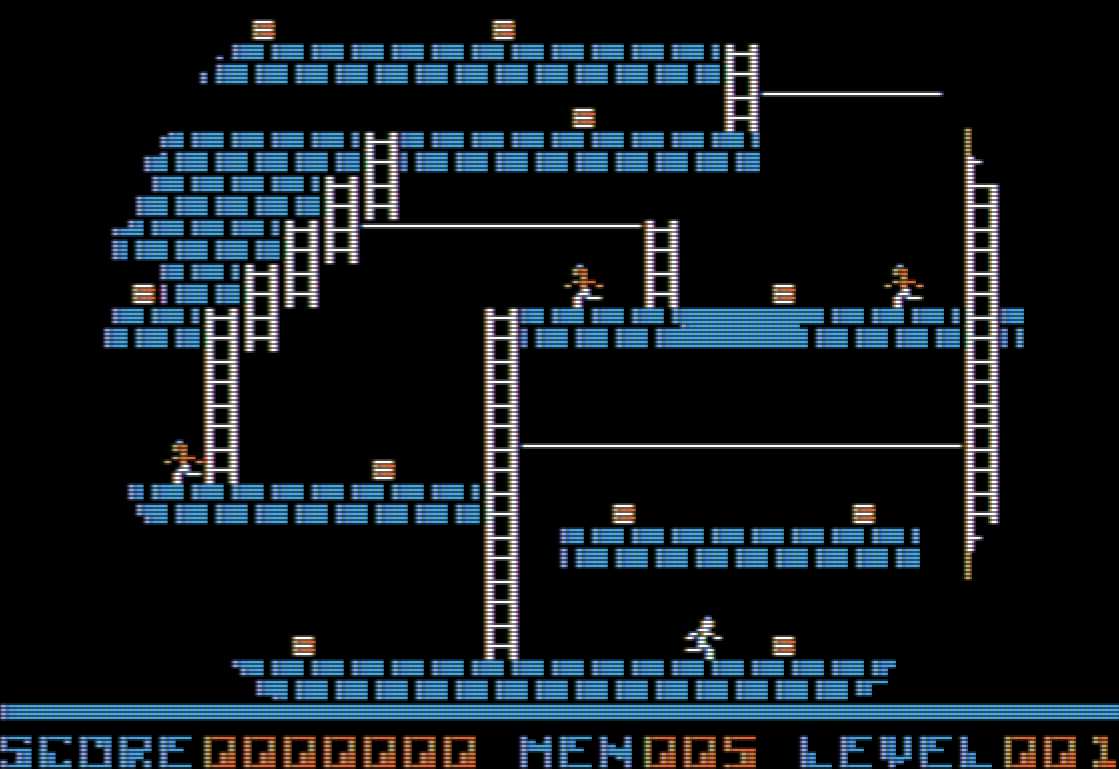
Whenever a level is finished or starts, there's an iris wipe transition. The routine that starts it
off is IRIS_WIPE.
WIPE_COUNTER        EQU     $6D
WIPE_MODE           EQU     $A5     ; 0 for open, 1 for close.
WIPE_DIR            EQU     $72     ; 0 for close, 1 for open.
WIPE_CENTER_X       EQU     $74
WIPE_CENTER_Y       EQU     $73
    ORG     $88A2
IRIS_WIPE:
    SUBROUTINE

    LDA     #88
    STA     WIPE_CENTER_Y
    LDA     #140
    STA     WIPE_CENTER_X

    LDA     WIPE_MODE
    BEQ     .iris_open

    LDX     #$AA
    STX     WIPE_COUNTER
    LDX     #$00
    STX     WIPE_DIR             ; Close

.loop_close:
    JSR     IRIS_WIPE_STEP
    DEC     WIPE_COUNTER
    BNE     .loop_close

.iris_open:
    LDA     #$01
    STA     WIPE_COUNTER
    STA     WIPE_MODE           ; So next time we will close.
    STA     WIPE_DIR            ; Open
    JSR     PUT_STATUS_LIVES
    JSR     PUT_STATUS_LEVEL

.loop_open:
    JSR     IRIS_WIPE_STEP
    INC     WIPE_COUNTER
    LDA     WIPE_COUNTER
    CMP     #$AA
    BNE     .loop_open
    RTS
IRIS_WIPEThe routine IRIS_WIPE_STEP does a lot of math to compute the circular iris, all parameterized
on WIPE_COUNTER.
Here is a routine that divides a 16-bit value in A and X (X being LSB) by 7, storing the result in Y, with remainder in A. The routine effectively does long division. It also uses two temporaries.
    ORG     $8A45
DIV_BY_7:
    SUBROUTINE
    ; Enter routine with AX set to (unsigned) numerator.
    ; On exit, Y will contain the integer portion of AX/7,
    ; and A contains the remainder.

    STX     MATH_TMPL
    LDY     #$08
    SEC
    SBC     #$07

.loop:
    PHP
    ROL     MATH_TMPH
    ASL     MATH_TMPL
    ROL
    PLP
    BCC     .adjust_up
    SBC     #$07
    JMP     .next

.adjust_up
    ADC     #$07

.next
    DEY
    BNE     .loop

    BCS     .no_adjust
    ADC     #$07
    CLC

.no_adjust
    ROL     MATH_TMPH
    LDY     MATH_TMPH
    RTS
Now, for one iris wipe step, we will need lots and lots of temporaries.
WIPE0       EQU     $69     ; 16-bit value
WIPE1       EQU     $67     ; 16-bit value
WIPE2       EQU     $6B     ; 16-bit value
WIPE3L      EQU     $75
WIPE4L      EQU     $76
WIPE5L      EQU     $77
WIPE6L      EQU     $78
WIPE3H      EQU     $79
WIPE4H      EQU     $7A
WIPE5H      EQU     $7B
WIPE6H      EQU     $7C
WIPE7D      EQU     $7D     ; Dividends
WIPE8D      EQU     $7E
WIPE9D      EQU     $7F
WIPE10D     EQU     $80
WIPE7R      EQU     $81     ; Remainders
WIPE8R      EQU     $82
WIPE9R      EQU     $83
WIPE10R     EQU     $84
The first thing we do for a single step is initialize all those variables!
    ORG     $88D7
IRIS_WIPE_STEP:
    SUBROUTINE

<<[[WIPE0 = WIPE_COUNTER]]>>
<<[[WIPE1 = 0]]>>
<<[[WIPE2 = 2 * WIPE0]]>>
<<[[WIPE2 = 3 - WIPE2]]>>

; WIPE3, WIPE4, WIPE5, and WIPE6 correspond to
; row numbers. WIPE3 is above the center, WIPE6
; is below the center, while WIPE4 and WIPE5 are on
; the center.

<<[[WIPE3 = WIPE_CENTER_Y - WIPE_COUNTER]]>>
<<[[WIPE4 = WIPE5 = WIPE_CENTER_Y]]>>
<<[[WIPE6 = WIPE_CENTER_Y + WIPE_COUNTER]]>>

; WIPE7, WIPE8, WIPE9, and WIPE10 correspond to
; column byte numbers. Note the division by 7 pixels!
; WIPE7 is left of center, WIPE10 is right of center,
; while WIPE8 and WIPE9 are on the center.

<<[[WIPE7 = (WIPE_CENTER_X - WIPE_COUNTER) / 7]]>>
<<[[WIPE8 = WIPE9 = WIPE_CENTER_X / 7]]>>
<<[[WIPE10 = (WIPE_CENTER_X + WIPE_COUNTER) / 7]]>>
Now we loop. This involves checking WIPE1 against WIPE0:
- If
WIPE1\(<\)WIPE0, return. - If
WIPE1==WIPE0, go toDRAW_WIPE_STEPthen return. - Otherwise, call
DRAW_WIPE_STEPand go round the loop.
Going around the loop involves calling DRAW_WIPE_STEP, then adjusting
the numbers.
.loop:

⟨iris wipe loop check⟩

    JSR     DRAW_WIPE_STEP

    LDA     WIPE2+1
    BPL     .89a7

<<[[WIPE2 += 4 * WIPE1 + 6]]>>
    JMP     .8a14

.89a7:

<<[[WIPE2 += 4 * (WIPE1 - WIPE0) + 16]]>>
<<Decrement [[WIPE0]]>>
<<Increment [[WIPE3]]>>
<<Decrement [[WIPE10]] modulo 7>>
<<Increment [[WIPE7]] modulo 7>>
<<Decrement [[WIPE6]]>>

.8a14:

<<Increment [[WIPE1]]>>
<<Increment [[WIPE9]] modulo 7>>
<<Decrement [[WIPE4]]>>
<<Increment [[WIPE5]]>>
<<Decrement [[WIPE8]] modulo 7>>
    JMP     .loop
Drawing a wipe step draws all four parts. There are two rows which move north and two rows that move south. There are also two left and right offsets, one short and one long. This makes eight combinations.
    ORG     $8A69
DRAW_WIPE_STEP:
    SUBROUTINE

⟨Draw wipe for south part⟩
⟨Draw wipe for north part⟩
⟨Draw wipe for north2 part⟩
⟨Draw wipe for south2 part⟩
DRAW_WIPE_STEPEach part consists of two halves, right and left (or east and west).
    LDY     WIPE6H
    BNE     .draw_north
    LDY     WIPE6L
    CPY     #176
    BCS     .draw_north        ; Skip if WIPE6 >= 176

    JSR     ROW_TO_ADDR_FOR_BOTH_PAGES

    ; East side
    LDY     WIPE9D
    CPY     #40
    BCS     .draw_south_west
    LDX     WIPE9R
    JSR     DRAW_WIPE_BLOCK

.draw_south_west
    ; West side
    LDY     WIPE8D
    CPY     #40
    BCS     .draw_north
    LDX     WIPE8R
    JSR     DRAW_WIPE_BLOCK
.draw_north:
    LDY     WIPE3H
    BNE     .draw_north2
    LDY     WIPE3L
    CPY     #176
    BCS     .draw_north2        ; Skip if WIPE3 >= 176

    JSR     ROW_TO_ADDR_FOR_BOTH_PAGES

    ; East side
    LDY     WIPE9D
    CPY     #40
    BCS     .draw_north_west
    LDX     WIPE9R
    JSR     DRAW_WIPE_BLOCK

.draw_north_west
    ; West side
    LDY     WIPE8D
    CPY     #40
    BCS     .draw_north2
    LDX     WIPE8R
    JSR     DRAW_WIPE_BLOCK
.draw_north2:
    LDY     WIPE5H
    BNE     .draw_south2
    LDY     WIPE5L
    CPY     #176
    BCS     .draw_south2        ; Skip if WIPE5 >= 176

    JSR     ROW_TO_ADDR_FOR_BOTH_PAGES

    ; East side
    LDY     WIPE10D
    CPY     #40
    BCS     .draw_north2_west
    LDX     WIPE10R
    JSR     DRAW_WIPE_BLOCK

.draw_north2_west
    ; West side
    LDY     WIPE7D
    CPY     #40
    BCS     .draw_south2
    LDX     WIPE7R
    JSR     DRAW_WIPE_BLOCK
.draw_south2:
    LDY     WIPE4H
    BNE     .end
    LDY     WIPE4L
    CPY     #176
    BCS     .end        ; Skip if WIPE4 >= 176

    JSR     ROW_TO_ADDR_FOR_BOTH_PAGES

    ; East side
    LDY     WIPE10D
    CPY     #40
    BCS     .draw_south2_west
    LDX     WIPE10R
    JSR     DRAW_WIPE_BLOCK

.draw_south2_west
    ; West side
    LDY     WIPE7D
    CPY     #40
    BCS     .end
    LDX     WIPE7R
    JMP     DRAW_WIPE_BLOCK           ; tail call

.end:
    RTS
Drawing a wipe block depends on whether we're opening or closing on the level. Closing on the level just blacks out pixels on page 1. Opening on the level copies some pixels from page 2 into page 1.
    ORG     $8AF6
DRAW_WIPE_BLOCK:
    SUBROUTINE
    ; Enter routine with X set to the column byte and Y set to
    ; the pixel number within that byte (0-6). ROW_ADDR and
    ; ROW_ADDR2 must contain the base row address for page 1
    ; and page 2, respectively.

    LDA     WIPE_DIR
    BNE     .open

    LDA     (ROW_ADDR),Y
    AND     WIPE_BLOCK_CLOSE_MASK,X
    STA     (ROW_ADDR),Y
    RTS

.open:
    LDA     (ROW_ADDR2),Y
    AND     WIPE_BLOCK_OPEN_MASK,X
    ORA     (ROW_ADDR),Y
    STA     (ROW_ADDR),Y
    RTS
DRAW_WIPE_BLOCKORG $8B0C WIPE_BLOCK_CLOSE_MASK: BYTE %11110000 BYTE %11110000 BYTE %11110000 BYTE %11110000 BYTE %10001111 BYTE %10001111 BYTE %10001111 WIPE_BLOCK_OPEN_MASK: BYTE %10001111 BYTE %10001111 BYTE %10001111 BYTE %10001111 BYTE %11110000 BYTE %11110000 BYTE %11110000
    LDA     WIPE1+1
    CMP     WIPE0+1
    BCC     .draw_wipe_step ; Effectively, if WIPE1 > WIPE0, jump to .draw_wipe_step.
    BEQ     .8969           ; Otherwise jump to .loop1, which...

.loop1:
    LDA     WIPE1
    CMP     WIPE0
    BNE     .end
    LDA     WIPE1+1
    CMP     WIPE0+1
    BNE     .end            ; If WIPE0 != WIPE1, return.
    JMP     DRAW_WIPE_STEP

.end:
    RTS

.8969:
    LDA     WIPE1
    CMP     WIPE0
    BCS     .loop1          ; The other half of the comparison from .loop.

.draw_wipe_step:
6.2.1 Initialization#
    LDA     WIPE_COUNTER
    STA     WIPE0
    LDA     #$00
    STA     WIPE0+1         ; WIPE0 = WIPE_COUNTER
WIPE0, WIPE_COUNTERWIPE1WIPE2LDA WIPE_CENTER_Y SEC SBC WIPE_COUNTER STA WIPE3L LDA #$00 SBC #$00 STA WIPE3H ; WIPE3 = WIPE_CENTER_Y - WIPE_COUNTER
    LDA     WIPE_CENTER_Y
    STA     WIPE4L
    STA     WIPE5L
    LDA     #$00
    STA     WIPE4H
    STA     WIPE5H          ; WIPE4 = WIPE5 = WIPE_CENTER_Y
    LDA     WIPE_CENTER_Y
    CLC
    ADC     WIPE_COUNTER
    STA     WIPE6L
    LDA     #$00
    ADC     #$00
    STA     WIPE6H          ; WIPE6 = WIPE_CENTER_Y + WIPE_COUNTER
    LDA     WIPE_CENTER_X
    SEC
    SBC     WIPE_COUNTER
    TAX
    LDA     #$00
    SBC     #$00
    JSR     DIV_BY_7
    STY     WIPE7D
    STA     WIPE7R          ; WIPE7 = (WIPE_CENTER_X - WIPE_COUNTER) / 7
    LDA     WIPE_CENTER_X
    CLC
    ADC     WIPE_COUNTER
    TAX
    LDA     #$00
    ADC     #$00
    JSR     DIV_BY_7
    STY     WIPE10D
    STA     WIPE10R         ; WIPE10 = (WIPE_CENTER_X + WIPE_COUNTER) / 7
6.2.2 All that math stuff#
    LDA     WIPE1
    ASL
    STA     MATH_TMPL
    LDA     WIPE1+1
    ROL
    STA     MATH_TMPH       ; MATH_TMP = WIPE1 * 2

    LDA     MATH_TMPL
    ASL
    STA     MATH_TMPL
    LDA     MATH_TMPH
    ROL
    STA     MATH_TMPH       ; MATH_TMP *= 2

    LDA     WIPE2
    CLC
    ADC     MATH_TMPL
    STA     MATH_TMPL
    LDA     WIPE2+1
    ADC     MATH_TMPH
    STA     MATH_TMPH       ; MATH_TMP += WIPE2

    LDA     #$06
    CLC
    ADC     MATH_TMPL
    STA     WIPE2
    LDA     #$00
    ADC     MATH_TMPH
    STA     WIPE2+1        ; WIPE2 = MATH_TMP + 6
    LDA     WIPE1
    SEC
    SBC     WIPE0
    STA     MATH_TMPL
    LDA     WIPE1+1
    SBC     WIPE0+1
    STA     MATH_TMPH       ; MATH_TMP = WIPE1 - WIPE0

    LDA     MATH_TMPL
    ASL
    STA     MATH_TMPL
    LDA     MATH_TMPH
    ROL
    STA     MATH_TMPH       ; MATH_TMP *= 2

    LDA     MATH_TMPL
    ASL
    STA     MATH_TMPL
    LDA     MATH_TMPH
    ROL
    STA     MATH_TMPH       ; MATH_TMP *= 2

    LDA     MATH_TMPL
    CLC
    ADC     #$10
    STA     MATH_TMPL
    LDA     MATH_TMPH
    ADC     #$00
    STA     MATH_TMPH       ; MATH_TMP += 16

    LDA     MATH_TMPL
    CLC
    ADC     WIPE2
    STA     WIPE2
    LDA     MATH_TMPH
    ADC     WIPE2+1
    STA     WIPE2+1        ; WIPE2 += MATH_TMP
WIPE0WIPE16.3 Level data#
Now that we have the ability to draw a level from level data, we need a routine
to get that level data. Recall that level data needs to be stored in pointers
specified in the CURR_LEVEL_ROW_SPRITES_PTR_ tables.
6.3.1 Getting the compressed level data#
The level data is stored in the game in compressed form, so we first grab
the data for the level and put it into the 256-byte DISK_BUFFER buffer.
This buffer is the same as the DOS read/write buffer, so that level data can
be loaded directly from disk. Levels on disk are stored starting at track 3 sector 0,
with levels being stored in consecutive sectors, 16 per track.
There's one switch here, GAME_MODE, which dictates whether we're going to
display the high-score screen, attract-mode game play, the splash screen,
or an actual level for playing.
Also, if we're in attract mode, instead of loading the level from disk, we load the level from the game image, which contains the first three "standard" levels.
One additional feature is that you can start the routine with A being 1
to read a level, 2 to write a level, and 4 to format the entire disk. Writing
and formatting is used by the level editor. But see also FORMAT_PATCH for
prevention of formatting Lode Runner itself.
GAME_MODE               EQU     $A7

GAME_MODE_SPLASH_SCREEN         EQU     #$00
GAME_MODE_ATTRACT_MODE          EQU     #$01
GAME_MODE_PLAY_MODE             EQU     #$02
GAME_MODE_PLAY_IN_EDITOR        EQU     #$03
GAME_MODE_4                     EQU     #$04
GAME_MODE_LEVEL_EDITOR          EQU     #$05

DISK_BUFFER             EQU     $0D00       ; 256 bytes
RWTS_ADDR               EQU     $24         ; 2 bytes
DISK_LEVEL_LOC          EQU     $96
JMP_RWTS EQU $23 ; JMP $0000, gets loaded with RWTS address later
JMP_RWTSDISK_ACCESS_READ EQU #$01 DISK_ACCESS_WRITE EQU #$02 DISK_ACCESS_FORMAT EQU #$04
    ORG     $630E
ACCESS_COMPRESSED_LEVEL_DATA:
    SUBROUTINE
    ; Enter routine with A set to command: 1 = read, 2 = write, 4 = format

    STA     IOB_COMMAND_CODE
    LDA     GAME_MODE
    LSR
    ; If GAME_MODE is 0 or 1, copy level data from image
    BEQ     .copy_level_data_from_image

    ; Otherwise, read/write/format level on disk
    LDA     DISK_LEVEL_LOC
    LSR
    LSR
    LSR
    LSR
    CLC
    ADC     #$03
    STA     IOB_TRACK_NUMBER            ; track 3 + (DISK_LEVEL_LOC >> 4)
    LDA     DISK_LEVEL_LOC
    AND     #$0F
    STA     IOB_SECTOR_NUMBER           ; sector DISK_LEVEL_LOC & 0x0F
    LDA     #<DISK_BUFFER
    STA     IOB_READ_WRITE_BUFFER_PTR
    LDA     #>DISK_BUFFER
    STA     IOB_READ_WRITE_BUFFER_PTR+1 ; IOB_READ_WRITE_BUFFER_PTR = 0D00
    LDA     #$00
    STA     IOB_VOLUME_NUMBER_EXPECTED  ; any volume

ACCESS_DISK_OR_RESET_GAME:
    LDY     #<DOS_IOB
    LDA     #>DOS_IOB
    JSR     JMP_RWTS
    BCC     .end
    JMP     RESET_GAME      ; On error

.end:
    RTS

.copy_level_data_from_image:
    ⟨Copy level data⟩
We're not really using ROW_ADDR here as a row address, just as
a convenient place to store a pointer. Also, we can see that
the attract-mode level data is stored in 256-byte pages at 9F00, A000, and A100.
Level numbers start from 1, so 9E00 doesn't actually contain level data.
Since the game is supposed to come with 150 levels, there is not enough room to store all of it, so the rest of the level data must be on disk. Only the first few levels are in memory.
    LDA     LEVELNUM        ; 1-based
    CLC
    ADC     #$9E
    STA     ROW_ADDR+1
    LDY     #$00
    STY     ROW_ADDR        ; ROW_ADDR <- 9E00 + LEVELNUM * 0x100
.copyloop:
    LDA     (ROW_ADDR),Y
    STA     DISK_BUFFER,Y
    INY
    BNE     .copyloop
    RTS
ROW_ADDRSince levels are 28 sprites across with two sprites per byte, we'll show the hex data as 14 bytes per line. There is no level data past the 16th line.
    ORG     $9F00
LEVEL1_DATA:
    HEX     06 00 00 07 00 00 07 00 00 06 00 00 03 06
    HEX     13 11 11 11 11 11 11 11 11 03 00 00 03 06
    HEX     03 00 00 00 00 00 00 07 00 43 44 44 03 76
    HEX     11 11 11 11 31 11 11 11 11 01 00 00 13 11
    HEX     11 11 11 11 33 00 00 00 00 00 00 00 03 00
    HEX     11 11 11 31 43 44 44 44 03 00 00 00 03 00
    HEX     71 70 11 33 00 00 00 08 03 70 00 08 03 70
    HEX     11 11 31 03 00 00 13 11 21 22 11 11 13 11
    HEX     00 00 30 00 00 00 03 00 00 00 00 00 03 00
    HEX     00 00 30 00 00 00 03 00 00 00 00 00 03 00
    HEX     00 00 38 00 70 00 43 44 44 44 44 44 03 70
    HEX     13 11 11 11 11 11 03 70 00 00 70 00 13 11
    HEX     03 00 00 00 00 00 03 11 11 11 11 01 03 00
    HEX     03 00 00 00 00 00 03 00 00 00 00 00 03 00
    HEX     03 00 00 70 00 00 03 00 90 70 00 00 03 00
    HEX     11 11 11 11 11 11 11 11 11 11 11 11 11 11
    HEX     00 00 00 00 00 00 00 00 00 00 00 00 00 00 00 00
    HEX     00 00 00 00 00 00 00 00 00 00 00 00 00 00 00 00
LEVEL2_DATA:
    HEX     11 11 61 11 11 11 11 11 11 11 11 01 11 11
    HEX     06 00 61 01 44 44 44 04 00 00 00 00 00 10
    HEX     16 61 60 01 71 00 10 13 00 00 00 00 80 10
    HEX     06 11 11 01 11 11 11 13 11 11 07 31 11 11
    HEX     61 00 00 47 44 11 11 13 11 11 11 31 01 11
    HEX     11 11 11 01 00 01 10 13 11 10 11 31 01 11
    HEX     00 00 00 80 00 00 10 13 11 10 01 31 71 10
    HEX     13 11 11 11 13 73 10 13 11 10 01 31 11 11
    HEX     03 00 00 00 13 11 11 13 11 07 01 31 11 10
    HEX     03 00 00 00 00 11 11 13 11 11 01 31 11 17
    HEX     03 00 00 00 01 00 00 03 00 00 00 30 00 10
    HEX     13 11 13 11 31 21 21 21 21 21 21 31 21 21
    HEX     13 11 13 11 31 11 11 11 00 11 11 31 21 21
    HEX     03 00 03 00 30 11 11 11 01 10 11 31 00 00
    HEX     13 11 11 11 31 11 11 11 11 07 11 11 11 31
    HEX     93 00 00 00 30 70 10 11 11 01 80 00 00 30
    HEX     00 00 00 00 00 00 00 00 00 00 00 00 00 00 00 00
    HEX     00 00 00 00 00 00 00 00 00 00 00 00 00 00 00 00
LEVEL3_DATA:
    HEX     00 00 00 30 00 00 00 00 00 00 00 00 00 00
    HEX     80 07 00 30 00 00 00 00 00 00 00 00 70 08
    HEX     13 81 07 30 00 00 00 00 00 00 00 70 18 31
    HEX     03 10 01 30 11 11 36 11 11 31 00 10 01 30
    HEX     03 00 00 00 00 00 33 07 00 30 00 00 00 30
    HEX     03 00 00 00 00 00 37 03 00 30 00 00 00 30
    HEX     03 00 00 00 00 00 33 07 00 00 00 00 00 30
    HEX     03 00 00 00 00 00 37 03 00 00 00 00 00 30
    HEX     03 00 00 00 00 00 33 07 00 00 00 00 00 30
    HEX     03 00 00 00 00 00 37 03 00 00 00 00 00 30
    HEX     03 00 00 00 00 00 33 07 00 00 00 00 00 30
    HEX     03 00 00 00 00 00 37 03 00 00 00 00 00 30
    HEX     03 00 00 00 00 00 33 07 00 00 00 00 00 30
    HEX     03 00 00 00 00 00 37 03 00 00 00 00 00 30
    HEX     03 00 00 00 09 00 33 07 00 00 00 00 00 30
    HEX     03 00 30 11 11 11 11 11 11 11 11 03 00 30
    HEX     00 00 00 00 00 00 00 00 00 00 00 00 00 00 00 00
    HEX     00 00 00 00 00 00 00 00 00 00 00 00 00 00 00 00
6.3.2 Uncompressing and displaying the level#
Loading the level also sets the player ALIVE flag to 1 (alive). Throughout
the code, LSR ALIVE simply sets the flag to 0 (dead).
ALIVE EQU $9A
    ORG     $6238
LOAD_LEVEL:
    SUBROUTINE
    ; Enter routine with X set to whether the level should be
    ; loaded verbatim or not.

    STX     VERBATIM

    ⟨Initialize level counts⟩

    LDA     #$01
    STA     ALIVE       ; Set player live
    ; A happens to also be DISK_ACCESS_READ.
    JSR     ACCESS_COMPRESSED_LEVEL_DATA

    ⟨uncompress level data⟩
LEVEL_DATA_INDEX EQU $92
Here we are initializing variables in preparation for loading the level data. Since drawing the level will keep track of ladder, gold, and guard count, we need to zero them out. There are also some areas of memory whose purpose is not yet known, and these are zeroed out also.
    LDX     #$FF
    STX     PLAYER_COL
    INX
    STX     LADDER_COUNT
    STX     GOLD_COUNT
    STX     GUARD_COUNT
    STX     GUARD_NUM
    STX     DIG_ANIM_STATE
    STX     LEVEL_DATA_INDEX
    STX     TMP
    STX     GAME_ROWNUM
    TXA

    LDX     #30
.loop1
    STA     BRICK_FILL_TIMERS,X
    DEX
    BPL     .loop1

    LDX     #$05
.loop2
    STA     GUARD_RESURRECTION_TIMERS,X
    DEX
    BPL     .loop2
The level data is stored in "compressed" form, just 4 bits per sprite since we don't use any higher ones to define a level. For each of the 16 game rows, we load up the compressed row data and break it apart, one 4-bit sprite per column.
Once we've done that, we draw the level using DRAW_LEVEL_PAGE2. That
routine returns an error if there was no player sprite in the level. If
there was no error, we simply return. Otherwise we have to handle the
error condition, since there's no point in playing without a player!
    LDY     GAME_ROWNUM
.row_loop:
    <<set active and background row pointers [[PTR1]] and [[PTR2]] for [[Y]]>>
    ⟨uncompress row data⟩
    <<next compressed row for [[row_loop]]>>

    JSR     DRAW_LEVEL_PAGE2
    BCC     .end                ; No error

⟨handle no player sprite in level⟩

.end:
    RTS

.reset_game:
    JMP     RESET_GAME
DRAW_LEVEL_PAGE2, GAME_ROWNUMEach row will have their sprite data stored at locations specified by
the CURR_LEVEL_ROW_SPRITES_PTR_ tables.
To uncompress the data for a row, we use the counter in TMP as an odd/even
switch so that we know which 4-bit chunk (nibble) in a byte we want. Even
numbers are for the low nibble while odd numbers are for the high nibble.
In addition, if we encounter any sprite number 10 or above then we replace it with sprite 0 (all black).
    LDA     #$00
    STA     GAME_COLNUM

.col_loop:
    LDA     TMP                         ; odd/even counter
    LSR
    LDY     LEVEL_DATA_INDEX
    LDA     DISK_BUFFER,Y
    BCS     .628c                       ; odd?
    AND     #$0F
    BPL     .6292                       ; unconditional jump
.628c

    LSR
    LSR
    LSR
    LSR
    INC     LEVEL_DATA_INDEX

.6292
    INC     TMP

    LDY     GAME_COLNUM
    CMP     #10
    BCC     .629c
    LDA     #SPRITE_EMPTY                ; sprite >= 10 -> sprite 0
.629c:

    STA     (PTR1),Y
    STA     (PTR2),Y

    INC     GAME_COLNUM
    LDA     GAME_COLNUM
    CMP     #28
    BCC     .col_loop                   ; loop while GAME_COLNUM < 28
    INC     GAME_ROWNUM
    LDY     GAME_ROWNUM
    CPY     #16
    BCC     .row_loop                   ; loop while GAME_ROWNUM < 16
GAME_ROWNUMWhen there's no player sprite in the level, a few things can happen. Firstly,
if DISK_LEVEL_LOC is zero, we're going to jump to RESET_GAME. Otherwise, we set
DISK_LEVEL_LOC to zero, increment \$97, set X to 0xFF,
and retry LOAD_LEVEL from the very beginning.
    LDA     DISK_LEVEL_LOC
    BEQ     .reset_game

    LDX     #$00
    STX     DISK_LEVEL_LOC
    INC     GUARD_PATTERN_OFFSET
    DEX
    JMP     LOAD_LEVEL
    ORG     $62C7
COMPRESS_AND_SAVE_LEVEL_DATA:
    SUBROUTINE

    LDA     #$00
    STA     LEVEL_DATA_INDEX
    STA     TMP
    STA     GAME_ROWNUM

.loop:
    LDY     GAME_ROWNUM
    <<set active row pointer [[PTR1]] for [[Y]]>>
    LDY     #$00
    STY     GAME_COLNUM

.loop2:
    LDA     TMP
    LSR
    LDA     (PTR1),Y
    BCS     .shift_left

    STA     SPRITE_NUM
    BPL     .next

.shift_left:
    ASL
    ASL
    ASL
    ASL
    ORA     SPRITE_NUM
    LDY     LEVEL_DATA_INDEX
    STA     DISK_BUFFER,Y
    INC     LEVEL_DATA_INDEX

.next:
    INC     TMP
    INC     GAME_COLNUM
    LDY     GAME_COLNUM
    CPY     #MAX_GAME_COL+1
    BCC     .loop2

    INC     GAME_ROWNUM
    LDA     GAME_ROWNUM
    CMP     #MAX_GAME_ROW+1
    BCC     .loop

    LDA     #DISK_ACCESS_WRITE
    JMP     ACCESS_COMPRESSED_LEVEL_DATA    ; tailcall
COMPRESS_AND_SAVE_LEVEL_DATA